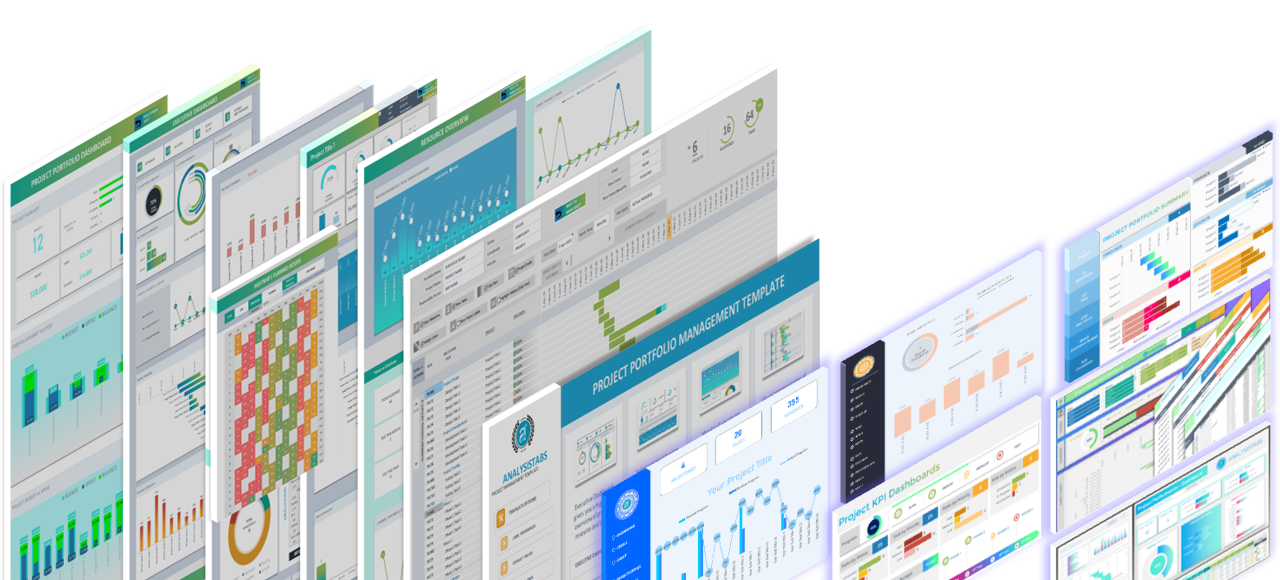
Establishing a solid foundation is critical for any project’s success. Our basic gantt chart template excel is the essential tool for managers who need a clean, standardized approach to project documentation. By utilizing a structured Work Breakdown Structure (WBS), you can organize complex initiatives into manageable phases and sub-tasks. This simple project gantt chart template is optimized for corporate environments in the US, providing a professional framework that balances technical accuracy with visual clarity, making it ideal for kickoff meetings and stakeholder reporting.
XLSX
Free Basic Gantt Chart Excel Template: Download Now
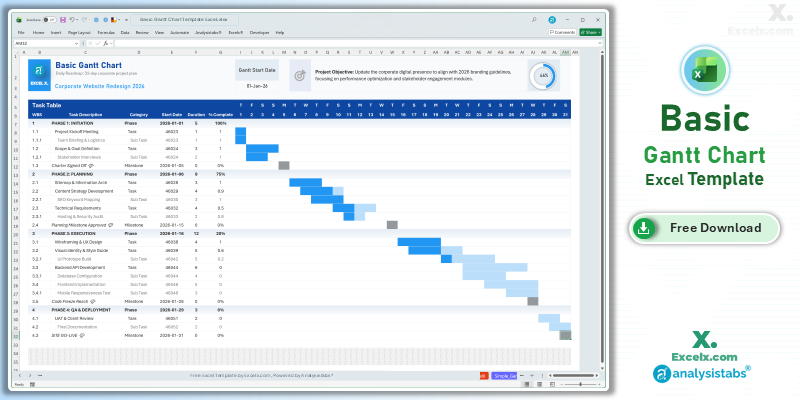
If you are looking for a basic gantt chart template excel free of complex manual formatting, this automated version is our top recommendation for essential planning. It transforms your task list into a professional 31-day roadmap, allowing you to visualize project hierarchy and progress with absolute ease.
- Structured WBS Layout: Features dedicated levels for Phases, Tasks, and Sub-tasks to provide a clear project hierarchy.
- 31-Day Automated Timeline: A high-visibility calendar view that shifts automatically based on your project’s start date.
- Phase-Level Progress Ring: Includes a master visual indicator that aggregates completion across all project phases for a quick status update.
Looking for a different timeline? Jump to a version:
How to Customize Your Simple Project Gantt Chart Template Excel
To ensure your project roadmap aligns with corporate standards, follow these quick steps to tailor the basic gantt chart template excel to your needs.
Step-by-Step Setup Instructions:
- Project Identification: Enter your project name in cell C3 to customize the document header.
- Set the Objective: Update the Project Objective field to keep your team aligned with the primary delivery goal.
- Timeline Alignment: Modify the Gantt Start Date to shift the 31-day timeline to your specific project window.
- Build Your WBS: Input your project phases (Initiation, Planning, Execution) and their respective sub-tasks into the Task Table.
- Track Milestones: Specify Start Dates, Duration, and % Complete to trigger the automated Gantt bars and progress dashboard.
- Logic Protection: We recommend keeping the sheets protected to avoid disrupting the automated conditional formatting rules.
Need to customize the layout or add more tasks?
How to Build a Basic Gantt Chart in Excel
Creating a basic gantt chart template excel requires a focus on structural clarity and reliable automation logic. Here are the standards used to build this file:
- WBS Grouping: The template uses indented task descriptions to visually separate phases from individual activities, a standard practice in professional PMO environments.
- Daily Increment Logic: The timeline uses simple cell-based date addition to ensure the calendar remains dynamic and updates instantly when the start date changes.
- Status-Driven Bars: The conditional formatting rules are set to color-code bars based on “Category” (e.g., Phase vs. Task), providing a quick way to differentiate between high-level stages and specific work items.
Choose More Gantt Chart Templates for Different Time Periods
Explore our other automated simple gantt chart template excel variants designed for different tracking needs across your business.
Hourly Gantt Chart Template Excel: For Precision Planning
For high-intensity operations, our hourly gantt chart template excel provides 24-hour precision. It is the best simple project gantt chart template for shift planning or time-critical events.
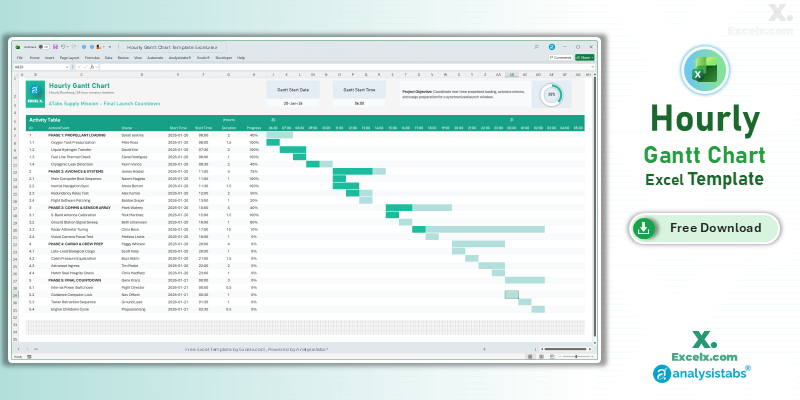
- Precision Tracking: Manage tasks by the hour for maximum project control.
- Shift Management: Easily coordinate team handovers within a 24-hour window.
- Interactive Progress: Features a dedicated progress ring for real-time mission-control status.
Read the Full Guide: How to Plan by the Hour
Simple Gantt Chart Template Excel Weekly: For Agile Sprints
The simple gantt chart template excel weekly version is optimized for software and marketing sprints spanning 4 to 12 weeks.
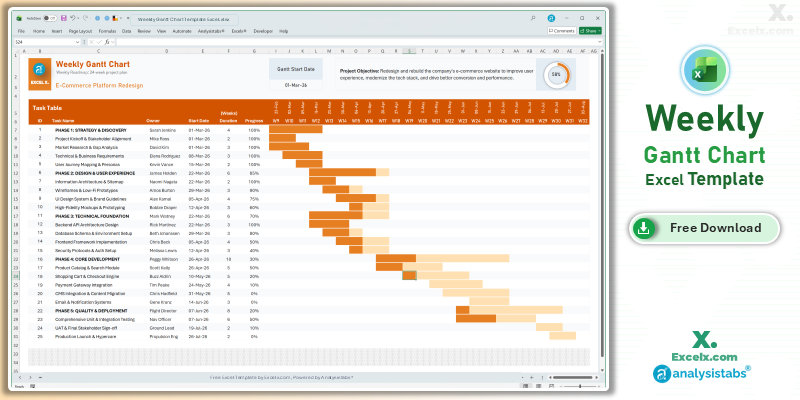
- Sprint Visibility: Clearly see task ownership and progress across a multi-week timeline.
- Dynamic Headers: Column headers update automatically based on your project start date.
- Team Accountability: Includes a dedicated “Owner” column for cross-functional coordination.
Read the Full Guide: Weekly Sprint Planning Guide
12-Month Annual Gantt Chart Template: Yearly Strategy
Strategic roadmapping requires a bird’s-eye view. The 12 month gantt chart template excel allows you to map out yearly objectives and quarterly goals on a single sheet.
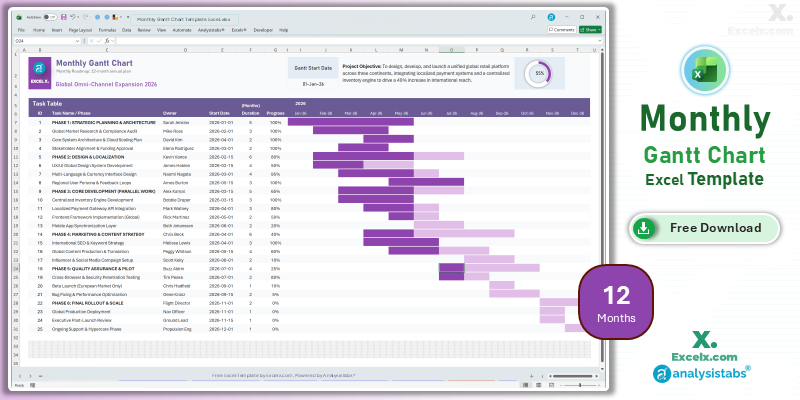
- Annual Strategy: Set and track major quarterly goals across a full 12-month period.
- Resource Allocation: Identify busy months where multiple project phases overlap.
- Executive Ready: High-level visuals designed for boardroom strategy reviews.
Read the Full Guide: Strategic Planning with Annual Gantt Charts
Simple Gantt Chart Templates
50+ Free PM Templates
100+ Free Excel Templates
150+ Premium Templates
Basic Project Tracking FAQ
1. What is the difference between a Phase and a Task in this template?
In the basic gantt chart template excel, a “Phase” is a high-level stage (like ‘Initiation’), while a “Task” or “Sub-task” is a specific action item within that stage. The template uses these to group data for the progress ring.
2. Can I add more rows to the WBS table?
Yes, you can unprotect the sheet and insert rows. Just ensure you copy down the formulas from the timeline area to maintain the automated gantt chart excel functionality.
3. Is this template compatible with Google Sheets?
Absolutely. Simply upload the .xlsx file to your Drive. The automated logic and visual formatting remain fully functional in the cloud.
Stop struggling with inconsistent project docs. Download our basic gantt chart template excel today and establish a professional standard for your team. For advanced resource management and complex dashboards, visit Analysistabs.org.