
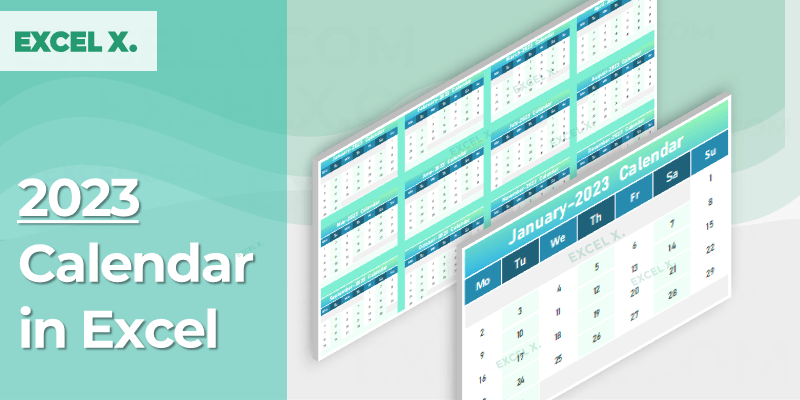
2023 Calendar in Excel helps you to create calendar-based spreadsheets in Excel. You can download our free Excel Calendar Template 2023 and use it in your Workbooks. We have created it using Excel Date Functions and Template Styles. The look and feel will change dynamically based on the selected theme.
Download our 2024 Calendar Template (with event tracking), 2025 Calendar Templates (40+ templates), or our 2026 Calendar Templates (60+ templates with holiday calendars for 34 countries).
Download 2023 Calendar in Excel
This is a free Excel Template for Year 2023. You can create this Template using Year, Month, Day and Date Functions available in Excel. We have prepared the year 2023 calendar by each month and it is ready for printing. You can change the default styles and get the Monthly or Year Calendars.
📑 On this page
⬇ Free Download
🛠️ How to Create
🔑 Key Features
🚀 How to Use
❓ FAQs
How to Create 2023 Calendar in Excel
Download our Free Excel Template, copy and paste into the required Excel Workbook, and change the format as per your needs. The calendar is built using Excel’s built-in Date Functions — YEAR, MONTH, DAY, and DATE — so it’s fully formula-driven with no macros.
Year
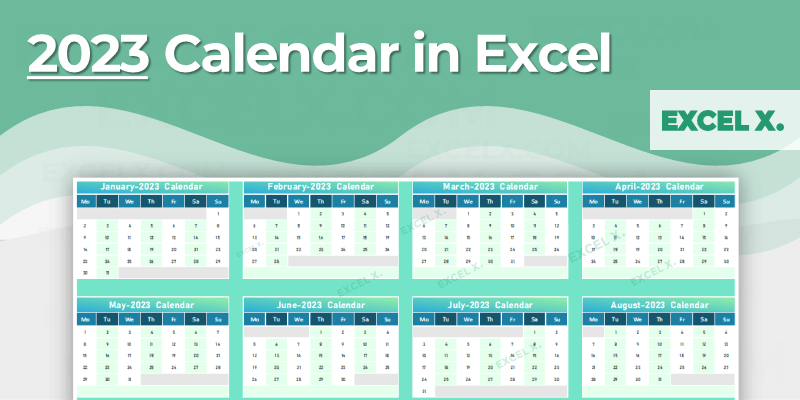
Excel Calendar is created for the year 2023. The full-year view displays all 12 months on a single page, giving you a complete annual overview for planning and reference.
Months
You can get the Calendar by each month: January through December. Each month is clearly laid out in its own section, making it easy to focus on specific periods.
Weeks
Week day starts from Monday and ends on Sunday, aligning with the standard international workweek. This makes it easy to plan your work schedule alongside the calendar.
Days
Every alternative day is formatted in a different color for easy visual distinction. This alternating pattern makes it quick to scan dates and reduces reading errors when planning.
Monthly View
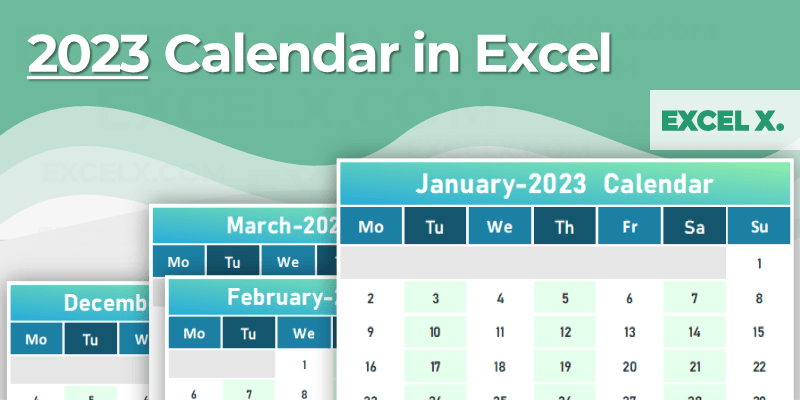
The monthly view provides a detailed breakdown of each month with ample space for notes. You can switch between the full-year overview and individual monthly views by navigating the worksheet tabs.
Key Features of the 2023 Excel Calendar
The look and feel of the calendar changes dynamically based on the selected Excel theme. Simply go to Page Layout → Themes and choose from dozens of built-in color schemes. The entire calendar updates instantly — no manual formatting needed. Learn more about Excel’s formatting features.
The calendar is built entirely with Excel formulas — YEAR(), MONTH(), DAY(), and DATE() functions. No macros, no VBA. This means it works reliably in Microsoft Excel 2016–365, Google Sheets, and LibreOffice Calc without compatibility issues.
Both the yearly and monthly views are formatted for clean printing on standard paper sizes. Use landscape orientation for the year view and portrait for individual months. The alternating day colors provide visual clarity even on black-and-white printers.
Change colors, fonts, borders, and layout to match your preferences. Add your own events, notes, and highlights directly into the calendar cells. Copy and paste the template into any existing Excel workbook to integrate with your other spreadsheets.
Get all free calendar templates delivered to your inbox
How to Use This Calendar Template
-
Download the templateClick the download link above to get the free .xlsx file. Open it in Microsoft Excel (2016 or later), Google Sheets, or any compatible spreadsheet application. See our guide to opening workbooks.
-
Choose your viewNavigate between the year view (all 12 months at a glance) and individual monthly views using the worksheet tabs at the bottom of the screen.
-
Customize the themeGo to Page Layout → Themes in Excel to change the entire color scheme. The calendar’s look updates dynamically — try different themes to find the style that suits you best.
-
Add your eventsEnter appointments, deadlines, birthdays, and important dates directly into the calendar cells. Use bold text or cell colors to highlight priority items.
-
Copy into your workbookRight-click the sheet tab → Move or Copy to integrate this calendar into any existing Excel workbook. This keeps your calendar alongside your other data and reports.
-
Print or sharePrint the calendar for wall display or desk reference. Use keyboard shortcuts (Ctrl+P) for quick printing. Share via email, OneDrive, or Google Drive. See our saving workbooks guide.
Frequently Asked Questions
Is the 2023 Excel calendar template free?
Yes, completely free to download and use for personal, educational, and commercial purposes. No registration or email required.
Can I use this in Google Sheets?
Yes. The .xlsx file opens directly in Google Sheets. All formatting, formulas, and date functions work across both platforms. Upload to Google Drive or use File → Open.
Which Excel versions are compatible?
Works with Microsoft Excel 2016, 2019, 2021, 2024, and Microsoft 365 on Windows and Mac. Also works in Google Sheets and LibreOffice Calc.
Does the week start on Monday or Sunday?
This template starts on Monday. If you need a Sunday start or more layout options, check our 2025 or 2026 calendar collections which offer both options.
How do the dynamic themes work?
The calendar uses Excel’s built-in theme system. Go to Page Layout → Themes and select any theme — the calendar’s colors, fonts, and styling update automatically throughout the entire template.
Can I add my own events and notes?
Yes. Click on any cell in the calendar and type your event, appointment, or note. You can also use cell colors or bold text to highlight important dates. The template is fully unlocked with no sheet protection.
Can I copy this into another workbook?
Yes. Right-click the sheet tab at the bottom, select “Move or Copy,” and choose your destination workbook. This lets you integrate the calendar alongside your existing spreadsheets and reports.
Do you have newer calendar templates?
Yes! Download our 2024 Calendar (with event tracking), 2025 Calendar Templates (40+ templates), or our 2026 Calendar Templates (60+ templates with holiday calendars for 34 countries).
Related Templates
2026 Calendar Templates
60+ templates — yearly, monthly, weekly, daily, fiscal, 34 countries.
2025 Calendar Templates
40+ templates — yearly, monthly, weekly, daily, printable, fiscal.
2024 Calendar Template
Yearly layout with built-in event tracking and conditional formatting.
All Calendar Templates
Browse all years — 2023, 2024, 2025, 2026.
Project Plan Templates
9 free templates with Gantt chart and task tracking.
All Excel Templates
Full collection of free templates.
Need Premium Calendar & Planning Templates?
Advanced dashboards, automated scheduling, and resource planning. Check out our Premium Templates.
Very good