

Twenty free Excel budget templates, each a ready-to-use .xlsx file you can download right now. Start with the Monthly Budget if you plan ahead, the Simple Budget if you only want to see where the money went, or jump to the family, student, business and life-event budgets below. Every file has protected formulas, blue input cells and a built-in chart. Every file is in USD and opens in Google Sheets.
XLSX
Download the Free Excel Budget Template (Monthly Planner, Best Overall)
Plan the month before it starts, record what actually happened, and watch your savings rate, daily budget and days left update as you type. Currency selector for $, €, £ and ₹. Our most-downloaded file.
- Planned vs actual for income, needs, wants and savings, with a red/green status tick on every row.
- Live KPI strip: savings rate, daily budget, days left and a 50/30/20 check.
- Free, instant, no signup. Open in Excel 2016–365 or import into Google Sheets.
No password needed · Preview in your browser · Dashboard edition
1. Monthly Budget Template
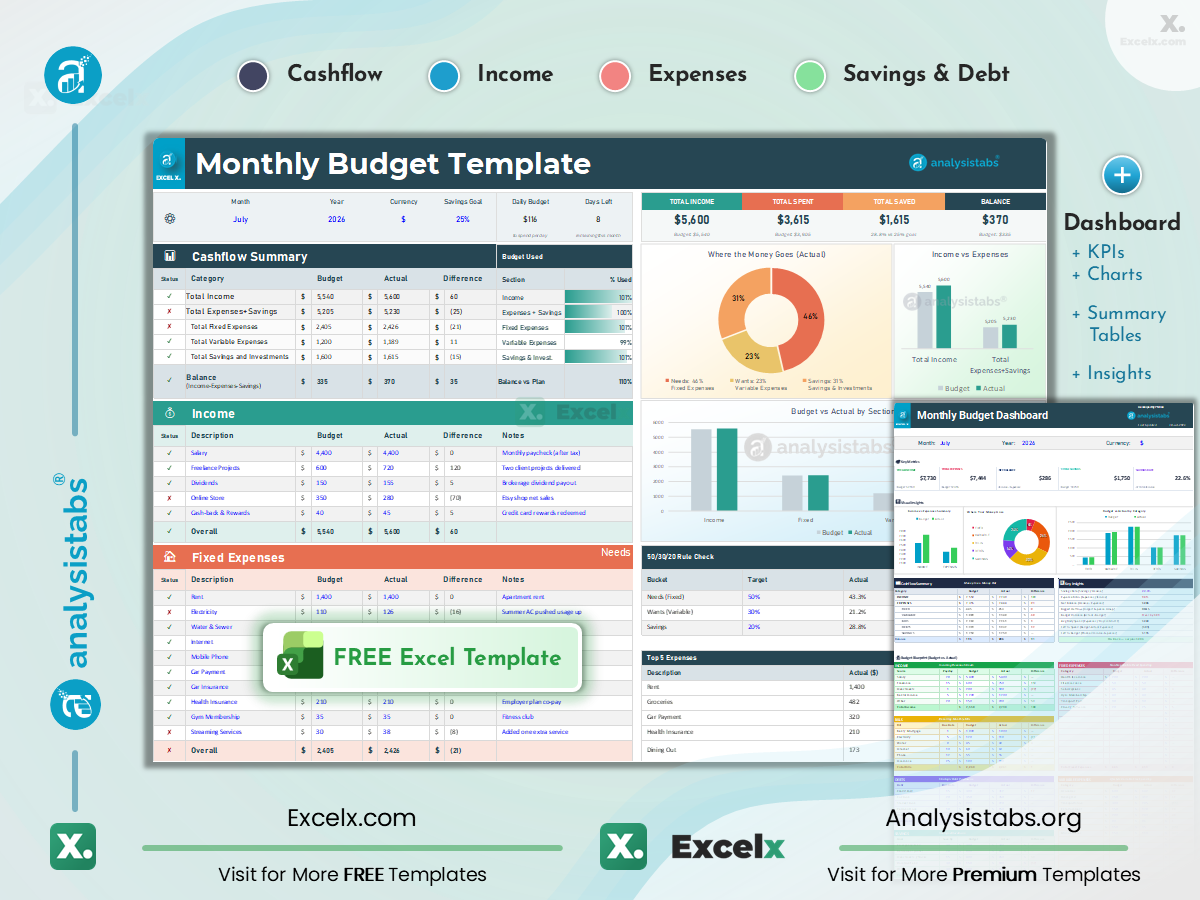
The template to use if you want to set targets at the start of the month and then track against them. Income, fixed expenses, variable expenses and savings each have their own table with Budget, Actual and Difference columns, and a status tick turns red the moment a row goes over.
Best for: regular monthly income and monthly bills; anyone who has tried a simple tracker and wants to plan ahead.
Inside the file:
- Currency selector ($, €, £, ₹) and a month/year picker in the top bar
- Live KPI strip: savings rate, daily budget, days left, 50/30/20 check
- “Where the money goes” donut and a Top 5 Expenses view
Dashboard edition · Preview in browser · Full guide, 12 variants & Google Sheets copy → · ₹ INR version
Not sure what your numbers should look like? See US monthly budget examples by income →
2. Simple Budget Template
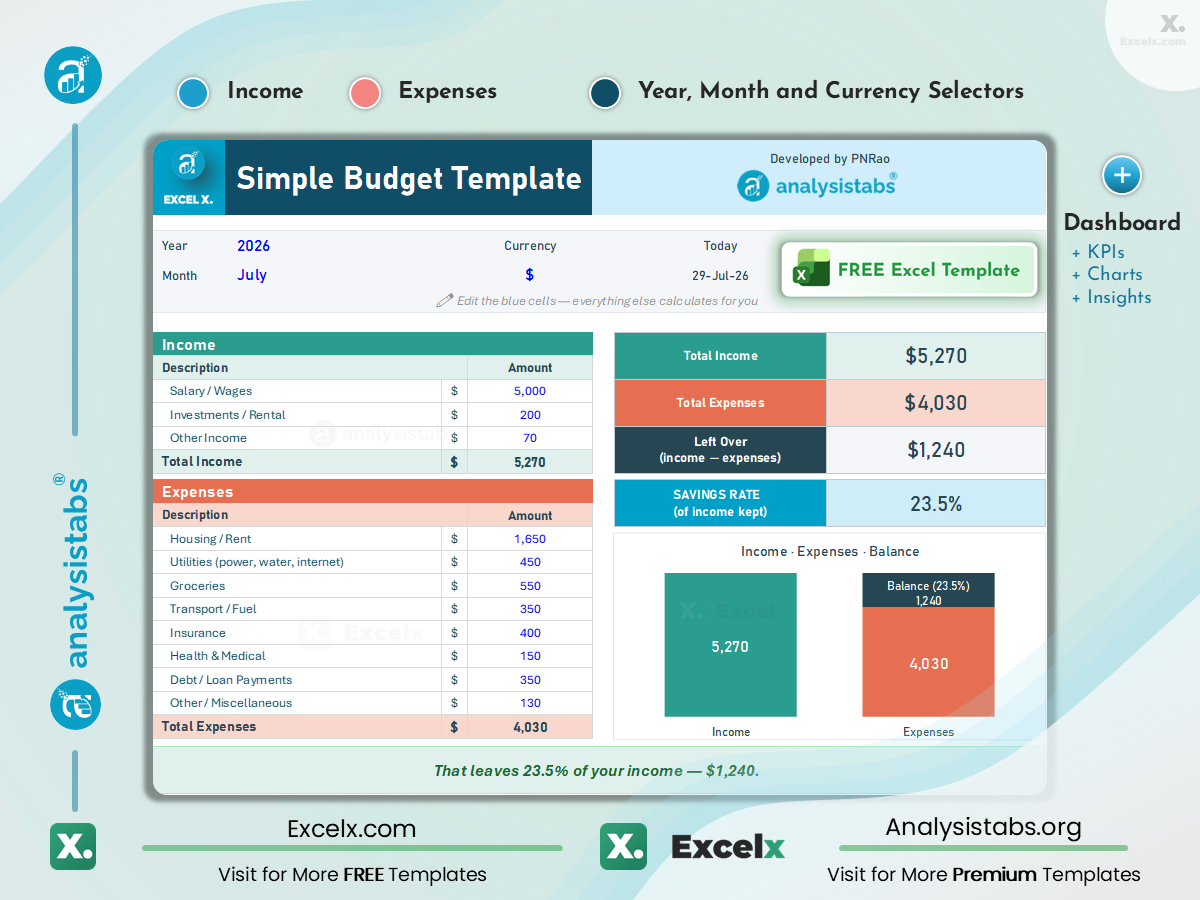
One sheet, no setup. List what came in, list what went out, and the template shows what is left and your savings rate. If you have abandoned a budget before because it was too much work, start here.
Best for: first-time budgeters and single-income households with predictable bills.
Inside the file:
- Income and expense lists with automatic totals and money remaining
- Savings rate as a percentage, updated as you type
- One chart comparing income against expenses
Printable PDF and a beginner’s walkthrough: Simple Budget Template →
3. Personal Budget Template

Built for people whose income does not arrive as one salary. Salary, freelance invoices, dividends and side income each get their own row, and two summary sheets show the current month and the full year without any extra data entry.
Best for: freelancers, contractors and anyone with a side income alongside a job.
Inside the file:
- Unlimited income rows with per-source totals
- Editable expense categories with your own labels
- Monthly and yearly summary sheets that fill themselves
Full guide and multi-income examples: Personal Budget Template →
4. Yearly Budget Template

Twelve months on one grid, so the costs that do not arrive monthly — insurance, subscriptions, vehicle registration, the holidays — are visible months before they hit. Seasonal patterns show up too: the winter energy bill, the December spike.
Best for: annual planning, savings targets and anyone pairing a monthly budget with a year-level view.
Inside the file:
- 12 monthly columns per category feeding an annual total
- Year-to-date actual vs plan with a projected year-end position
- Sinking-fund rows for irregular expenses
Quarterly, rolling and YTD variants: Yearly Budget Template →
5. Family Budget Template

A shared budget for a household: two or more incomes, and the categories families forget to budget for already in place — childcare, school fees, field trips, clubs, school clothing. Everyone sees the same picture, which makes the money conversation easier.
Best for: households with children and dual-income couples splitting bills.
Inside the file:
- Multiple income rows and per-member contribution tracking
- Pre-built family categories alongside housing and utilities
- Charts showing where household spending goes
6. Weekly Budget Template

A month is a long time to wait to find out you overspent. This template works in seven-day blocks so you can catch a bad week and fix the next one. Useful if you are paid weekly, and useful in any tight stretch.
Best for: weekly or hourly pay, shift work, and a weekly spending check between biweekly paychecks.
Inside the file:
- Seven-day grid with editable category names
- Weekly summary to review before planning the next week
- Week-over-week comparison
Biweekly, envelope and grocery versions: Weekly Budget Templates →
7. Student Budget Template

Student money arrives in lumps — a loan disbursement, a scholarship, a term’s allowance — and has to last. This template plans how each payment covers tuition and living costs across the semester, and keeps borrowed money separate from earned money.
Best for: undergraduate and graduate students, in halls or renting.
Inside the file:
- Income rows for part-time work, allowance, scholarships and aid
- Expense rows for tuition, books, housing, food and transport
- Monthly summaries that roll up to a semester total
8. Event Budget Template

Vendor quotes move and guest counts change. This template keeps an estimate and an actual figure side by side on every line, so the gap is visible while there is still time to cut something, and you have a record of what each vendor quoted when the invoices arrive.
Best for: weddings, birthdays, corporate events, launches and conferences.
Inside the file:
- Income rows for tickets, sponsorship and registrations
- Expense rows for venue, catering, AV, marketing and décor
- Estimated vs actual with running variance per line
9. Project Budget Template

Cost control for work with a start and an end. Labour, materials, software and vendor costs are tracked against the budget you set at the outset, by phase, so an overrun shows up as a number during the project rather than a conversation after it.
Best for: project managers, freelancers quoting fixed-price work, consultants billing against a budget.
Inside the file:
- Budgeted and actual columns by cost type and phase
- Committed spend against remaining budget
- Pairs with the Project Plan Template for schedule alongside cost
10. Business Budget Template

Revenue by stream, costs by category, and what is left each month. Keeping sales, services and recurring revenue on separate rows makes it obvious which part of the business is paying for the rest before you decide to hire or spend on marketing.
Best for: small business owners, early-stage startups and freelancers who have outgrown a personal budget.
Inside the file:
- Revenue rows for sales, services and recurring income
- Operating expense rows for rent, payroll, marketing, supplies, insurance
- Monthly profit/loss summary with budget vs actual
Startup, restaurant, construction, rental, nonprofit and 19 more: Business Budget Templates →
Life Events & Occasions (10 templates)
Separate budgets for the big one-off costs. Each compares estimated and actual spend line by line so you see the total before you commit.

Home Renovation Budget
Room-by-room materials, labour and permits, with a contingency you set for the job’s condition.
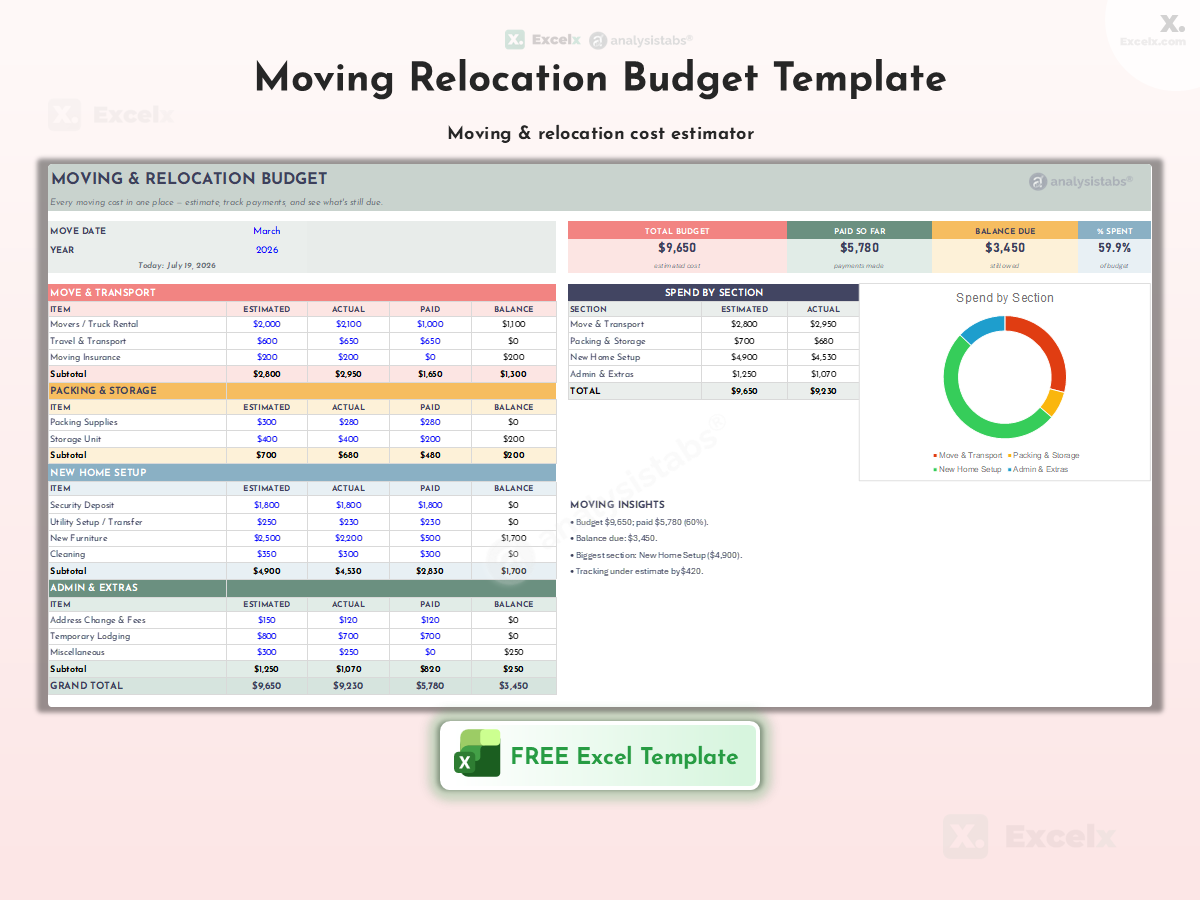
Moving & Relocation Budget
Movers or truck hire, packing, deposits, utility set-up, cleaning and storage in one plan.

Baby & Nursery Budget
Nursery, gear and medical costs, plus the first year’s recurring items like nappies and childcare.
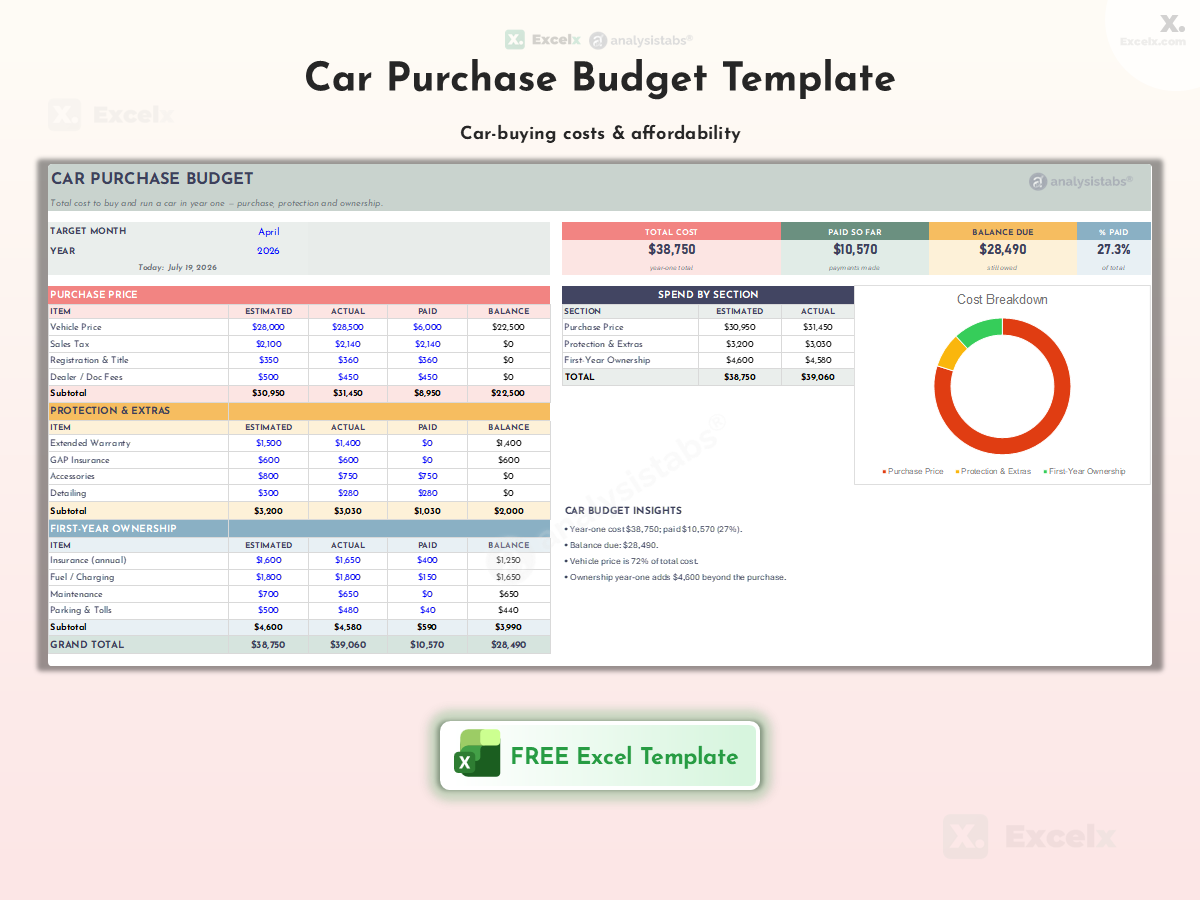
Car Purchase Budget
Price, taxes, fees, insurance and a financing comparison, so you see the real total before signing.

Back-to-School Budget
Per-child supplies, clothing, fees and tech with a cap on each category.
Wedding Budget
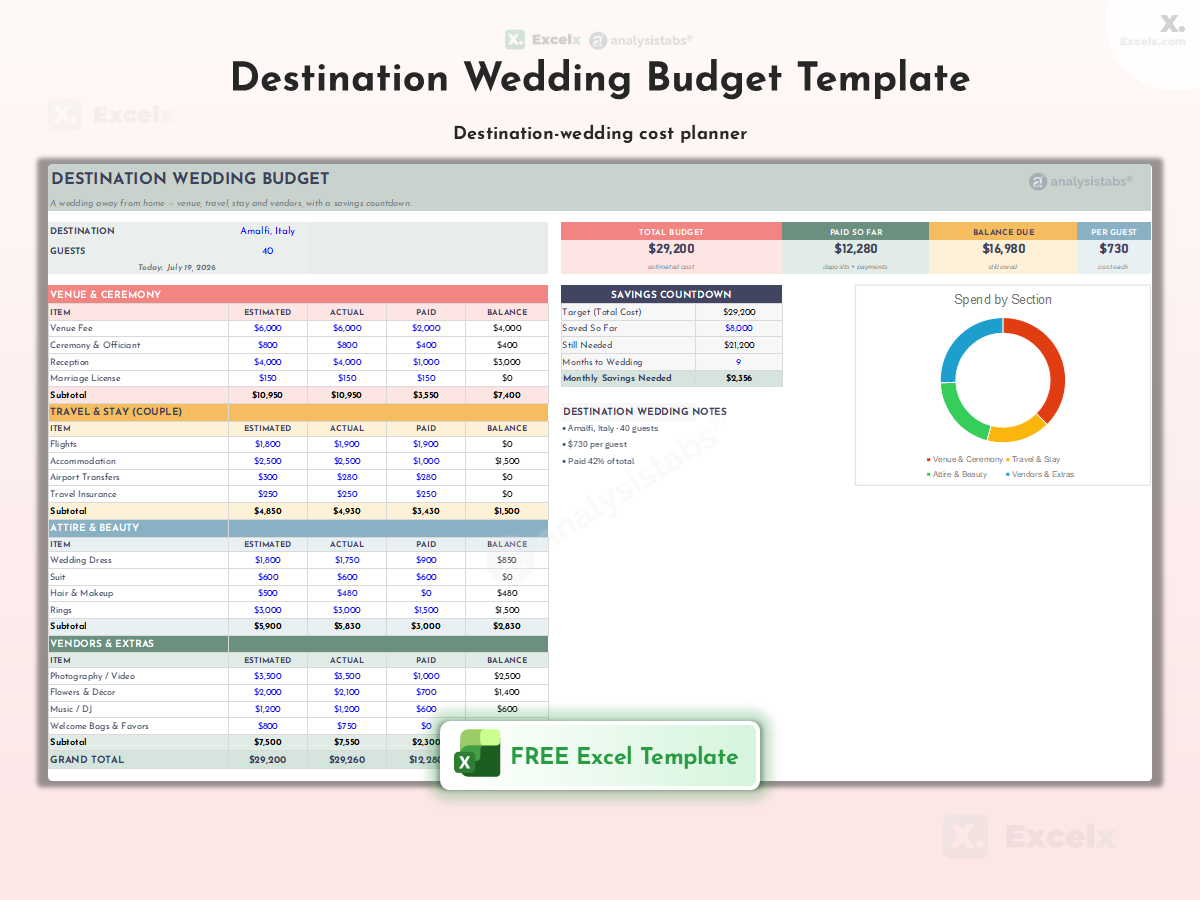
Venue, vendors, attire and guests with estimated vs actual, including travel and currency tracking for a wedding abroad.

First Apartment Budget
Deposits, furniture and kitchen set-up, then your first real monthly budget in the same file.

Christmas & Holiday Budget
A gift list per person with a budget each, plus decorations, food, travel and cards.

Home Maintenance Budget
A seasonal task schedule and a repair reserve sized to your home’s age and condition.
Road Trip Budget
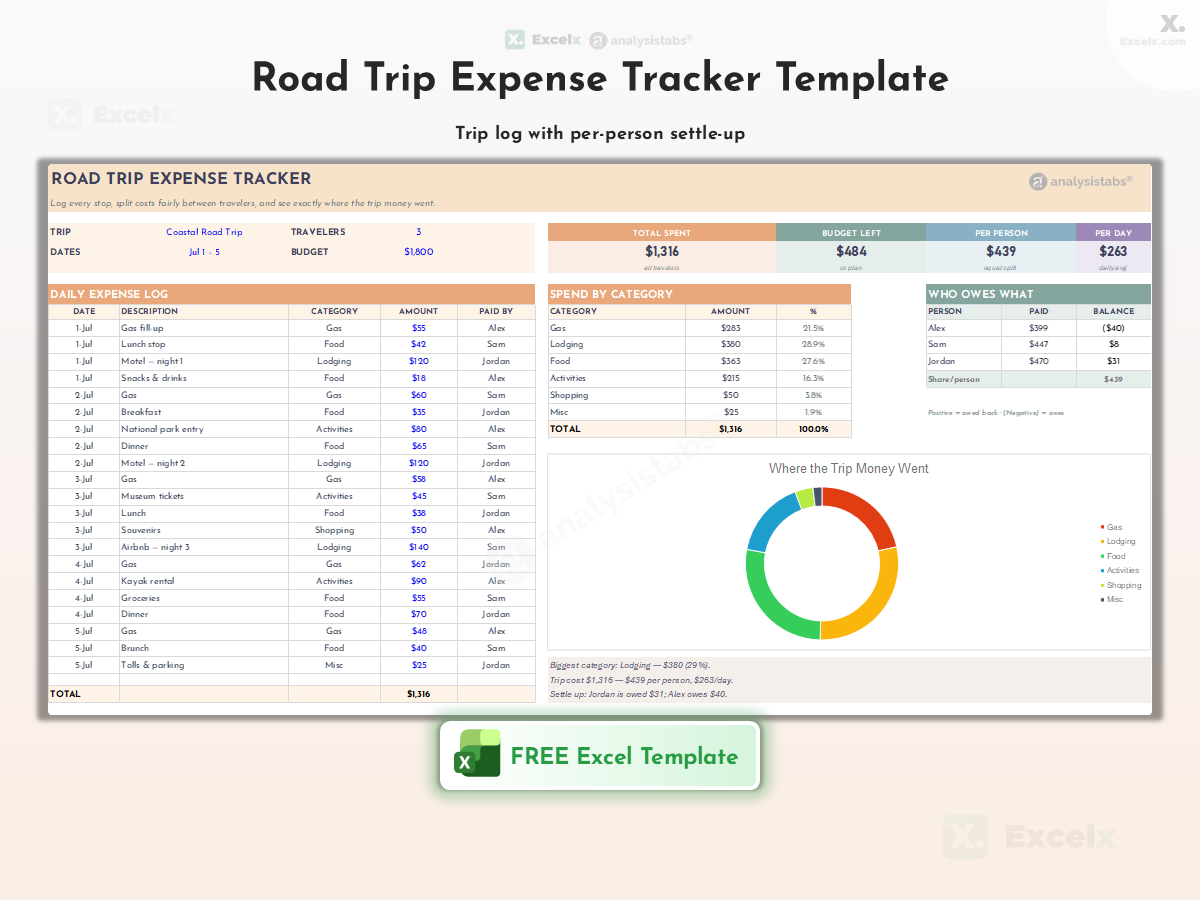
Fuel, lodging, food, tolls and attractions per day, with total trip cost and cost per mile.
Which Budget Template Should You Use?
| Template | Best For | Key Feature | Level |
|---|---|---|---|
| 📋 By time period | |||
| Simple Budget | First-time budgeters | Income vs expenses on one sheet | ★ |
| Weekly Budget | Weekly pay cycles | 7-day summaries | ★ |
| Monthly Budget | Everyday planning | Planned vs actual, 50/30/20 check | ★★ |
| Yearly Budget | Long-term planning | 12-month grid + forecast | ★★★ |
| 👨👩👧 By situation | |||
| Personal Budget | Multiple incomes | Per-source income rows | ★★ |
| Family Budget | Households with kids | Family categories, two incomes | ★★ |
| Student Budget | College students | Semester planning | ★ |
| 🎯 Special purpose | |||
| Event Budget | Any occasion | Estimated vs actual | ★★ |
| Project Budget | PMs, freelancers | Cost by phase | ★★★ |
| Business Budget | Business owners | Revenue + P/L | ★★★ |
| 🎉 Life events | |||
| Renovation | Home remodels | Per-room + contingency | ★★★ |
| Moving | Relocations | Deposits + set-up | ★ |
| Baby & Nursery | New parents | First-year costs | ★★ |
| Car Purchase | Car buyers | Financing comparison | ★★ |
| Back-to-School | Parents | Per-child caps | ★ |
| Wedding | Couples | Vendors + guests | ★★★ |
| First Apartment | First-time renters | Set-up costs | ★ |
| Christmas | Holiday season | Gift list per person | ★ |
| Home Maintenance | Homeowners | Repair reserve | ★★ |
| Road Trip | Travellers | Per-day tracking | ★ |
Browse by Type
Need something narrower? These collections go deeper.
📅 Monthly Budget Template
Full guide to the featured file, 12 audience variants (couple, retirement, India ₹, variable income) and a Google Sheets copy.
🏢 Business Budgets (24)
Startup, operating, marketing, restaurant, construction, rental, nonprofit, payroll, cash flow and quarterly taxes.
🧮 Budgeting Methods (23)
50/30/20, zero-based, envelope, pay-yourself-first, Kakeibo, FIRE and Dave Ramsey as working templates.
💰 Savings & Debt (13)
Savings goals with progress bars, the 52-week challenge, net worth, investments and snowball/avalanche debt payoff.
📊 Income & Expense (26)
Daily, weekly and monthly trackers, bills and subscriptions, and business bookkeeping.
📆 Weekly Budgets (6)
Weekly, biweekly, envelope and printable layouts, plus a grocery and meal-plan budget.
How to Use These Excel Budget Templates
Six steps from download to a budget you will actually maintain.
-
Pick one file Unsure? Take the Monthly Budget. Nothing to sign up for.
-
Open it and read the example month Every file ships with sample numbers so you can see how it works before you type.
-
Type only in the blue cells Rename categories, add income sources, enter planned amounts. Formula cells are protected so totals cannot break; there is no password and you do not need one.
-
Enter income net, not gross Use what actually reaches your account. Working from three months of bank statements is more accurate than working from memory.
-
Log actuals weekly Ten minutes once a week is enough. A budget updated monthly tells you what went wrong; one updated weekly lets you fix it.
-
Review at month end Look at the chart and your three biggest categories, then adjust next month’s plan. Save a copy per month.
Using These Templates in Google Sheets
Every download is an Excel .xlsx. To use one in Google Sheets, upload it to Google Drive and open it with Google Sheets, or in Sheets choose File → Import → Upload. Totals and planned-vs-actual formulas carry over; check charts, dropdowns and conditional formatting after importing, since Sheets renders some features differently. The Monthly, Simple, Personal and Yearly templates also have a “Make a copy in Google Sheets” link on their own pages. Keep the original Excel file as a backup.
Why Some Cells Are Protected
The most common support question we get is “what is the password?”. There isn’t one. The formula cells are locked so a stray keystroke cannot delete the calculation that feeds the totals; every input cell is open and coloured blue. If you want to change the formulas or rebuild the layout, the premium versions at AnalysisTabs are fully unlocked, but for entering your own budget the free files are complete.
Frequently Asked Questions
Which budget template should I use?
Start with the Monthly Budget Template. Beginners who want fewer categories should use the Simple Budget. Families, students and business owners have their own templates above.
The template is locked. What is the password?
There is no password and you do not need one. Only the formula cells are protected; type in the blue input cells. Fully unlocked layouts are in the premium versions.
Do these work in Google Sheets?
Yes. Upload the .xlsx to Drive and open it with Sheets, or use File → Import. Check charts and dropdowns after importing. Four templates also have a Make a copy link on their own pages.
Do I need to give my email to download?
No. Every file downloads instantly with no signup, account or email. The subscribe box only exists if you want to hear about new templates.
Can I change the currency?
The Monthly template has a currency selector and a ₹ INR twin. In any other file, select the amount cells, press Ctrl+1 and choose Currency. Changing the symbol does not convert amounts.
How do I budget for a wedding, a move or a renovation?
Use the Life Events templates. Each compares estimated and actual cost per line so you see the total before you commit.
What is the difference between a budget planner and an expense tracker?
A planner sets targets for the month ahead; a tracker records what you actually spent. The Monthly Budget Template does both in one sheet with its planned and actual columns. If you only want to log spending, the Income & Expense trackers are simpler.
Should I budget monthly or weekly?
Monthly if you are salaried with stable bills; weekly if you are paid weekly or biweekly, have variable income, or tend to overspend mid-month. Many people run both: the Monthly template for bills and fixed costs, the Weekly template for groceries, fuel and fun money.
Related Templates
Income & Expense Trackers (26)
Track what actually happened, then compare it to the budget.
Savings & Debt Trackers (13)
Goals, challenges, net worth and debt payoff.
Project Plan Templates
Combine the Project Budget with schedule and task tracking.
Need Premium Financial Templates?
Unlocked formulas, multi-month dashboards, debt snowball, net worth and bill calendars, from $9 with lifetime updates. Explore the Life OS Budget, Finance & Planner Bundle.
On this page
- Featured download
- Core budgets
- 1. Monthly Budget
- 2. Simple Budget
- 3. Personal Budget
- 4. Yearly Budget
- 5. Family Budget
- 6. Weekly Budget
- 7. Student Budget
- 8. Event Budget
- 9. Project Budget
- 10. Business Budget
- Life events
- Home Renovation
- Moving
- Baby & Nursery
- Car Purchase
- Back-to-School
- Wedding
- First Apartment
- Christmas
- Home Maintenance
- Road Trip
- Guides
- Which template?
- Browse by type
- How to use
- Google Sheets
- FAQ
Whats the password for it
Hi ayush. The formula cells are protected to prevent accidental changes, but you can enter your information in the unlocked input cells. If you need to modify the formulas or layout, the fully editable version is available at Analysistabs.org.
The budget template is very user-friendly and has made managing my finances much simpler. Thank you!
Thank you for your feedback!
Just what I needed! This budget template simplifies complex financial tasks. Great job!
Thanks for the kind words! I’m glad the template is helpful. Let me know if there’s anything else you need!
I found this Excel budget template intuitive and helpful for managing my finances.
Thank you so much for your kind words! I’m thrilled to hear that the Excel Budget Template has been so helpful for your financial management. If there are any specific features you particularly enjoy or if there’s anything else you’d like to see in future templates, please let me know. Your feedback is invaluable!
What template bundle do I have to buy to get the unlocked Home Yearly Budget?
J Berrios
Hi Juan — apologies for the long delay in replying. Worth clarifying first: the free Annual Budget Template is fully usable as it is. Only the formula cells are protected so the calculations aren’t broken by accident; every input cell is editable and no password is needed. You’d only need the premium version if you want to change the formulas or redesign the layout — that’s in the Life OS™ | Ultimate Excel Life Planner, Finance & ADHD Bundle (200+ Templates) on the Budget & Finance page. Bundle contents have changed since you asked, so contact me through support and I’ll confirm before you buy.
This template has been very helpful for organizing my finances. Thank you!
Thank you so much for your feedback! We are glad our budget template is helping you organize your finances. Stay tuned for more resources!
Regards
PNRao!
Does the student budget template include a section for scholarships?
Yes, Priyanka! It has a dedicated section for tracking scholarships and allowances.
I love how easy it is to use the weekly budget template. Great job!
Thanks, Thomas! We designed it with simplicity in mind to make financial tracking effortless.
Can the event budget template handle multiple events in one file?
Yes, Emily! You can customize the event budget template to track multiple events efficiently.
The annual budget template is perfect for tracking recurring expenses. Great tool!
Thanks, Jack! We’re glad it’s helping you stay on top of your recurring expenses.
Can I add additional income sources to the personal budget template?
Yes, The personal budget template is fully customizable for multiple income sources.
Can I use the project budget template for managing client projects?
Absolutely, Megan! The project budget template is customizable for client-specific projects.
How to unprotect the sheet? what is the password?
If you’ve already purchased it and lost access to the password, feel free to contact us through the support page!
Hi VSH. The formula cells are protected to prevent accidental changes, while the intended input cells remain editable. The fully 👉 editable version includes access to the protected structure. If you have already purchased it, please contact support so I can help you regain access.
These budget templates have made tracking my finances much easier. Thank you for sharing them!
Thanks so much! 🎉 Delighted the templates are helping you stay on top of your finances. If you ever need a specific tweak or have ideas for new budget tools, just let us know—we’re always improving the library!
The family budget template’s graphical summaries are so helpful. Great resource!
Thank you, JK! We’re glad the graphical summaries are making budgeting easier for you.
Does the project budget template include a section for unexpected expenses?
Yes, Jo! You can customize it to include a contingency section for unexpected costs.
The simple budget template is perfect for tracking my monthly expenses. Thank you!
Thank you, Anna! We’re glad the template is working well for you. Let us know if you need help customizing it!
The event budget template makes planning so much easier. Great tool!
Hi Reena! Thank you for your feedback, We’re happy to hear it’s making event planning stress-free.
Hello, and thank you for doing this. I downloaded the free monthly budget, but it stated it was “locked.” Please help lol
Hello! We appreciate you downloading the template. To keep the template working smoothly, we lock the complex formulas in the free version so they aren’t accidentally deleted—you just need to type in the blank input cells. If you are looking to fully customize the layout and edit the formulas, we highly recommend checking out our premium templates for unrestricted access!
The Simple Budget Template is straightforward and helped me organize the numbers quickly. The totals update clearly and the instructions are easy to follow.
Is there a way to carry the remaining balance automatically into the next month?
Hi Kaylin, the free template does not automatically carry the remaining balance into the next month. The premium version provides a fully unlocked structure with enhanced summaries and dashboards for more flexible month-to-month tracking.
This free Personal Budget Template gave me a practical starting point and saved me from building a spreadsheet from scratch. How to add Needs,Wants,Savings Split Pie/donut chart in the Overall summaray section (below the Income Expense Column Chart)?
Hi Eric,
Thank you so much! We are thrilled to hear that the Personal Budget Tracker gave you a practical head start.
Because the free template sheet is locked to protect core formulas and layout, you cannot add charts directly to that tab. However, you can easily build your Needs, Wants, and Savings analysis in a new worksheet:
We think this split view adds tremendous value, and we will definitely include a built-in Needs/Wants/Savings chart directly in our next version update of this template! – PNRao