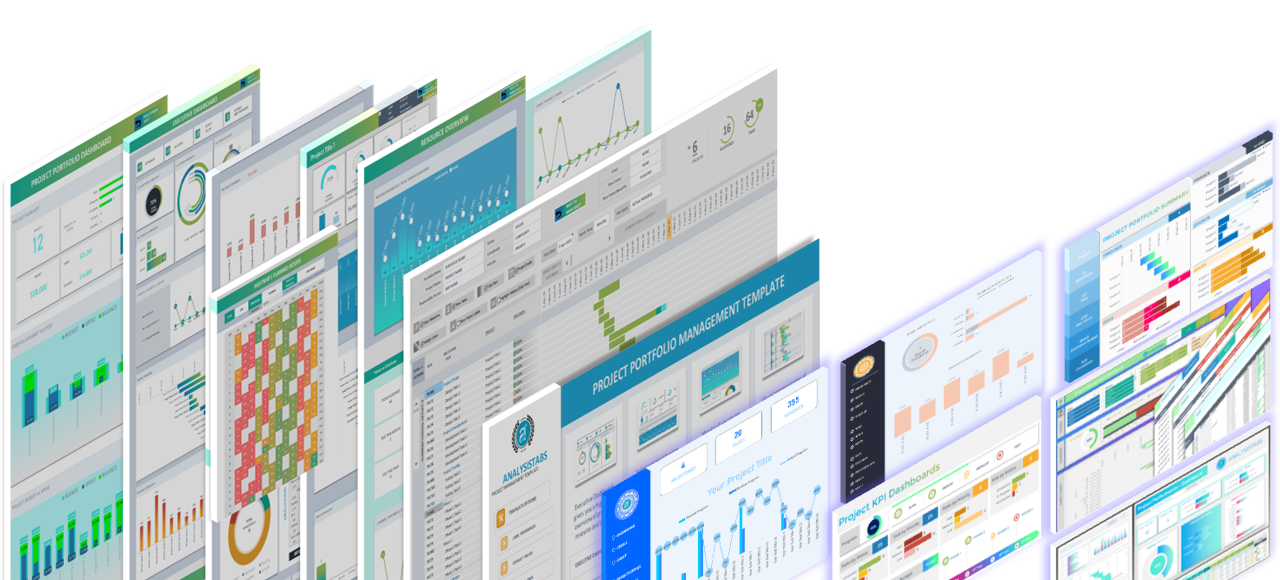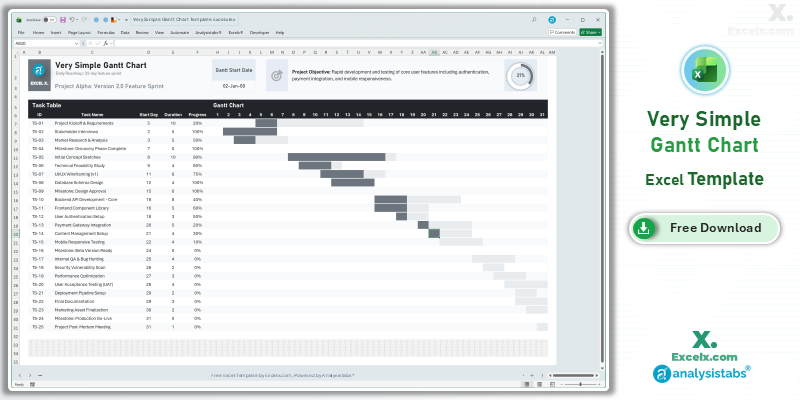
You don’t need to be a certified project manager to create a professional roadmap. Our very simple gantt chart excel template is the ultimate solution for those who want high-impact visuals without the burden of complex software. By focusing on essential data points—Task Name, Start Day, and Duration—you can transform a basic list into a clean, automated timeline instantly. This simple project gantt chart template is optimized for US-based users who value speed and readability, featuring a modern high-contrast interface that looks great on any screen or in any presentation.
Free Very Simple Gantt Chart Excel Template: Download Now
If you are looking for a very simple gantt chart excel template free of steep learning curves, this automated tool is our top recommendation for fast planning. It eliminates the friction of manual formatting, allowing you to build a professional 30-day schedule in less than a minute.
- Ultra-Fast Data Entry: No complex dates required—simply enter the “Start Day” and “Duration” to see your Gantt bars appear automatically.
- High-Contrast Dark Theme: A modern, professional layout designed for maximum visual clarity and “presentation-ready” aesthetics.
- Automated Progress Tracking: Includes an integrated progress ring that calculates your overall project completion as you update individual tasks.
Looking for a different timeline? Jump to a version:
How to Customize Your Simple Project Gantt Chart Template Excel
To get your project roadmap up and running in seconds, follow these quick steps to tailor the very simple gantt chart excel template to your specific action items.
Step-by-Step Setup Instructions:
- Personalize the Header: Enter your project name in cell C3 to update the chart’s main title.
- Define Your Goal: Briefly state your project’s main target in the Project Objective field to keep things focused.
- Set the Baseline: Enter your Gantt Start Date to align the 31-day timeline with your current calendar.
- List Your Actions: Input your tasks into the Task Table—the template is pre-configured for up to 25 items.
- Trigger the Visuals: For each task, enter the Start Day (e.g., Day 1), Duration, and Progress % to see the bars and ring update instantly.
- Protect the Automation: We recommend keeping the sheets protected to ensure the high-contrast conditional formatting rules stay active.
Need to customize the layout or add more tasks?
How to Build a Very Simple Gantt Chart in Excel
The logic behind a very simple gantt chart excel template is designed to minimize user input while maximizing visual output. Here are the professional standards used in this file:
- Numeric Offset Logic: Unlike date-heavy templates, this version uses a numeric day-offset (1, 2, 3…) to trigger the Gantt bars, making it much easier for beginners to manage.
- High-Contrast Aesthetics: We utilize a dark-themed background with light-colored task bars to ensure the project roadmap is easily readable even when viewed from a distance during a meeting.
- Real-Time Aggregation: The progress ring at the top uses a simplified averaging formula, providing a “stress-free” look at how much work is left in your 30-day window.
Choose More Gantt Chart Templates for Different Time Periods
Explore our other automated simple gantt chart template excel variants designed for different tracking needs across your business.
Hourly Gantt Chart Template Excel: For Precision Planning
When minutes count, our hourly gantt chart template excel provides total 24-hour precision. It is the best simple project gantt chart template for shift planning or high-intensity live events.
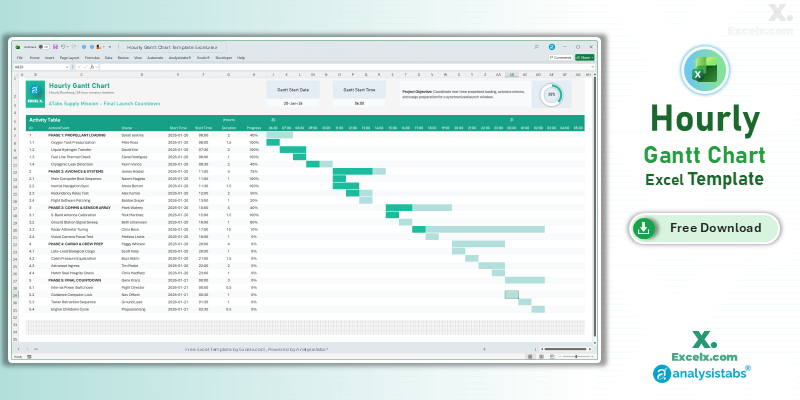
- 24-Hour Timeline: Precision tracking for time-critical project tasks.
- Shift Control: Dedicated owner assignments to manage team handovers.
- Mission Control View: Includes a progress ring for real-time status during live operations.
Read the Full Guide: How to Plan by the Hour
Daily Project Gantt Chart Excel: Short-Term Task Tracking
The daily project gantt chart excel view is essential for 30-day execution sprints where day-by-day accountability is a requirement for project success.
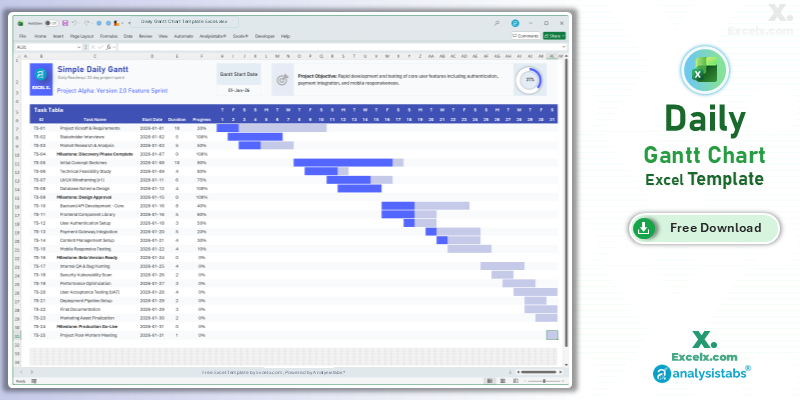
- Day-By-Day Logic: Track specific deadlines with day-level visibility.
- Immediate Visuals: Automated bars update the second you change a daily duration.
- Standardized View: A clean layout designed for professional short-term project tracking.
Read the Full Guide: Daily Task Management Tips
Simple Gantt Chart Template Excel Weekly: For Agile Sprints
The simple gantt chart template excel weekly version is optimized for software and marketing sprints spanning 4 to 12 weeks.
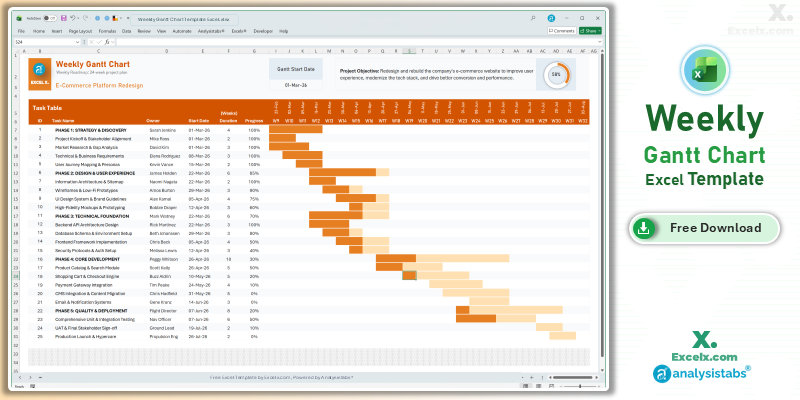
- Agile Sprint View: Perfectly balanced detail for weekly stand-up meetings.
- Owner Accountability: Dedicated columns to ensure every task has a clear leader.
- Dynamic Headers: All weekly dates update automatically based on your start date.
Read the Full Guide: Weekly Sprint Planning Guide
Simple Gantt Chart Templates
50+ Free PM Templates
100+ Free Excel Templates
150+ Premium Templates
Easy Scheduling FAQ
1. Why use “Day 1, Day 2” instead of actual dates?
Using a numeric start day in the very simple gantt chart excel template makes it easier to plan projects before you have a fixed calendar date. It allows you to visualize the duration of tasks relative to each other.
2. Can I use this for projects longer than 30 days?
This version is optimized for a 31-day high-speed phase. If your project spans several months, we recommend our weekly or 12-month annual versions for better visibility.
3. Can I change the theme from Dark to Light?
Yes. You can unprotect the sheet and change the cell background and font colors. However, the dark theme is specifically designed for high-contrast viewing in presentations.
Stop over-complicating your schedule. Download our very simple gantt chart excel template today and get back to work. For advanced workload capacity and executive dashboards, visit Analysistabs.org.