
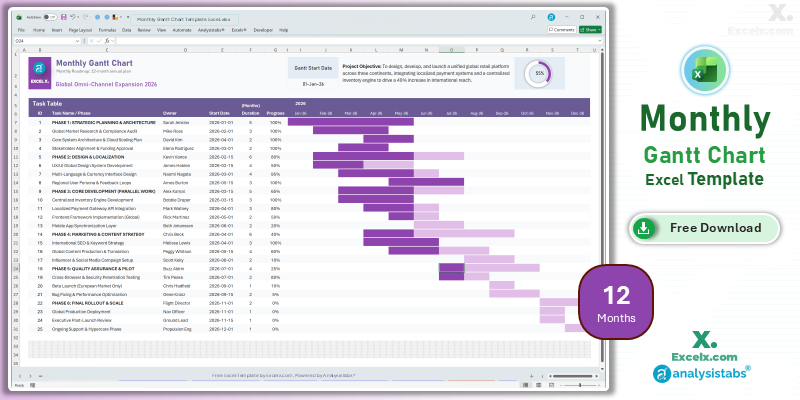
Strategic success requires more than just meeting weekly deadlines—it requires a clear vision of your entire yearly trajectory. Our 12 month gantt chart template excel is the essential tool for leaders overseeing annual business cycles. By consolidating your high-level objectives into a single-page view, you can effectively manage seasonal resources and align multi-departmental goals for 2026. This simple project gantt chart template is optimized for executive reporting in the US market, providing the “big picture” visibility needed to drive long-term growth and stakeholder confidence.
Free 12-Month Annual Gantt Chart Excel Template: Download Now
If you are looking for a 12 month gantt chart template excel free of clutter, this automated roadmap is our primary recommendation for annual planning. It transforms your high-level project phases into a professional yearly schedule, allowing you to spot resource overlaps and seasonal bottlenecks before they impact your bottom line.
- Yearly Strategy Mapping: Visualize your entire 2026 plan without horizontal scrolling, making it perfect for boardroom presentations.
- Quarterly Deliverable Logic: Identify and track major quarterly milestones to ensure your team maintains momentum throughout the fiscal year.
- Executive KPI Dashboard: Features a high-visibility progress ring that aggregates total annual completion for a real-time status check.
Looking for a different timeline? Jump to a version:
How to Customize Your Simple Project Gantt Chart Template Excel
To maximize the impact of your simple project gantt chart template excel xls during executive reviews, follow these steps to configure your annual strategic roadmap.
Step-by-Step Setup Instructions:
- Brand Your Roadmap: Enter your project or department name in cell C3 to customize the annual header.
- Set Annual Goals: Clearly define your primary 2026 objective in the Project Objective field to keep all departments aligned.
- Configure Your Year: Set the Gantt Start Date to the beginning of your fiscal or calendar year to automatically align the monthly headers.
- List Strategic Initiatives: Input up to 25 major project phases or annual milestones into the Task Table.
- Monitor Progress: Update the Start Date, Duration (in months), and Progress % to watch the yearly bars and progress ring update instantly.
- Protect Your Logic: We recommend keeping the sheets protected to ensure the annual date-rounding logic remains intact.
Need to customize the layout or add more tasks?
How to Build an Annual Gantt Chart in Excel
Creating a reliable 12 month gantt chart template excel requires month-specific logic to manage different day counts across the year. Here are the professional standards used in this template:
- Month-Weighted Timeline: Our conditional formatting is designed to highlight monthly increments, ensuring that long-duration tasks span accurately across varied month lengths.
- Dynamic Labeling: The timeline headers use a custom format (e.g., “Jan-26”) that automatically updates based on your project’s launch year, ensuring long-term utility.
- Aggregated Data: The master progress ring uses a weighted calculation to ensure that a 6-month initiative carries the appropriate weight compared to a 1-month task.
Choose More Gantt Chart Templates for Different Time Periods
Explore our other automated simple gantt chart template excel variants designed for different tracking needs across your business.
Hourly Gantt Chart Template Excel: For Precision Planning
When minutes matter, our hourly gantt chart template excel provides 24-hour precision. It is the best simple project gantt chart template for high-intensity event management or shift planning.
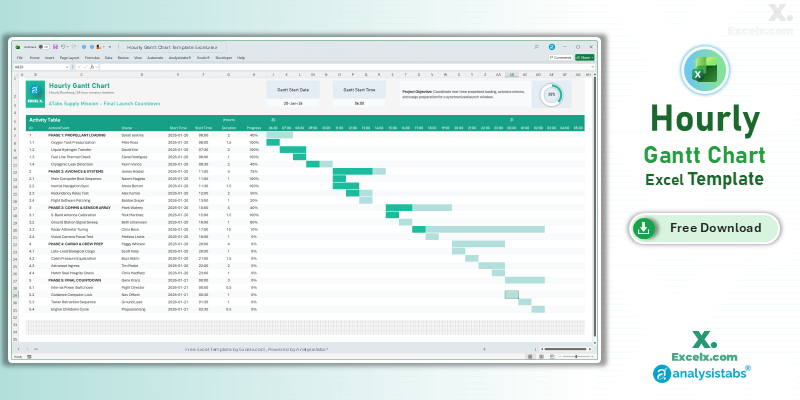
- 24-Hour Timeline: Precision tracking for time-sensitive launches and events.
- Shift Accountability: Dedicated columns to assign task owners and manage handovers.
- Live Operation View: Includes a progress ring for real-time status during high-intensity days.
Read the Full Guide: How to Plan by the Hour
Daily Project Gantt Chart Excel: Short-Term Task Tracking
The daily project gantt chart excel view is essential for 30-day execution phases where daily progress updates are mandatory for project success.
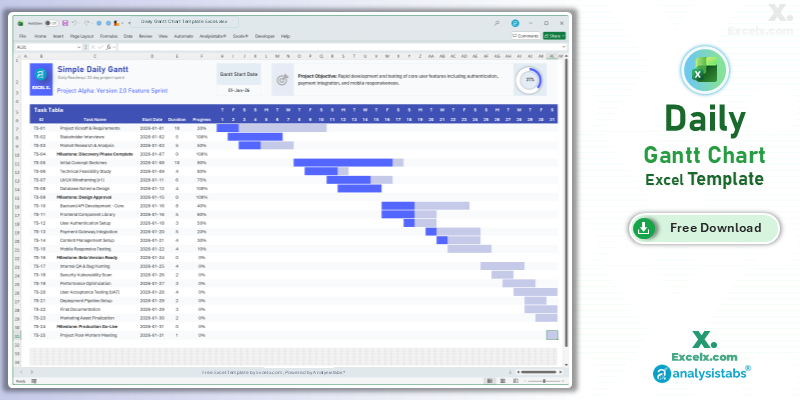
- Day-By-Day Logic: Track deadlines with absolute precision over a 31-day period.
- Immediate Visuals: The timeline area updates in real-time as you adjust daily task durations.
- Beginner Friendly: No training required—just enter your start day and duration.
Read the Full Guide: Daily Task Management Tips
Simple Gantt Chart Template Excel Weekly: For Agile Sprints
The simple gantt chart template excel weekly version is optimized for software sprints and marketing campaigns spanning 4 to 12 weeks.
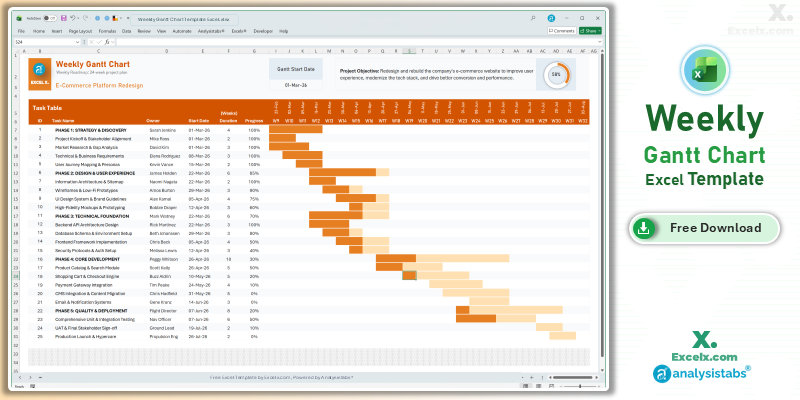
- Sprint Visibility: Clearly see task ownership and progress across a multi-week timeline.
- Dynamic Week Headings: Column headers update automatically based on your project start date.
- Accountability: Features an “Owner” column to streamline cross-functional coordination.
Read the Full Guide: Weekly Sprint Planning Guide
Simple Gantt Chart Templates
50+ Free PM Templates
100+ Free Excel Templates
150+ Premium Templates
Annual Strategic Planning FAQ
1. Can I track multiple years in this template?
While this version is optimized for a 12-month annual cycle, we also provide a 24-month strategic version for multi-year initiatives and long-term infrastructure projects.
2. Can I change the start month to follow our fiscal year (e.g., October)?
Yes. Simply update the “Gantt Start Date” cell to the first of your fiscal month. The 12 month gantt chart template excel will automatically re-align the entire timeline to your company’s fiscal calendar.
3. Is this template suitable for boardroom presentations?
Absolutely. The clean, high-contrast design and summarized progress rings are specifically designed to be readable on projectors and high-definition screens.
Stop reactive planning and start driving your strategy. Download our 12 month gantt chart template excel today. For advanced resource capacity tools and automated annual dashboards, visit Analysistabs.org.
How can you add milestones to this 12-month gantt chart?
Hi! You can achieve this by adding a new column to the Task Table named ‘Type‘ with a dropdown list (Task, Milestone, Phase). Then, apply Conditional Formatting to the Gantt area to highlight Milestones in a distinct color or shape.
Alternatively, you might consider our Premium Template. It already includes built-in Milestone tracking, automated styling, and several other advanced features to save you the manual setup time.