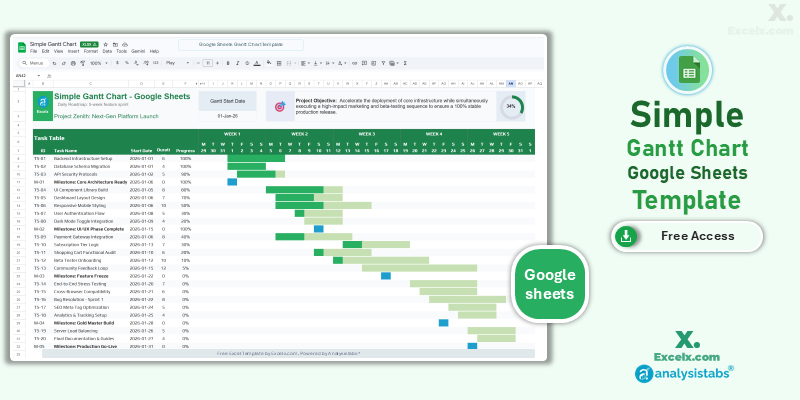
Modern project management requires constant communication and real-time data synchronization across distributed teams. Our gantt chart template google sheets is the premier cloud-based solution for managers who need to move beyond static local files. By hosting your project roadmap in the Google ecosystem, you ensure that every team member—from New York to Los Angeles—is looking at the same live status at the same time. This simple project gantt chart template is optimized for high-speed collaboration in the US market, offering automated timelines and progress tracking that update instantly as your team checks off their daily milestones.
Free Google Sheets Gantt Chart Template: Access Now
If you are looking for a gantt chart template google sheets free of version-control headaches, this automated cloud tool is our primary recommendation for remote coordination. It converts your collaborative task list into a professional 5-week visual schedule, allowing your team to update progress from any device, anywhere in the world.
- Real-Time Team Sync: Multiple users can update the task table simultaneously, with all visual Gantt bars refreshing in the cloud instantly.
- 5-Week Sprint Visibility: A high-impact roadmap view designed for short-term project sprints and rapid development cycles.
- Automated Cloud Logic: Features built-in Google Sheets conditional formatting that shifts the entire timeline automatically based on your project start date.
Looking for a desktop platform? Jump to a version:
How to Customize Your Simple Project Gantt Chart Template Excel
To ensure your collaborative roadmap stays accurate, follow these quick configuration steps to set up the gantt chart template google sheets for your team.
Step-by-Step Setup Instructions:
- Initialize Your Sheet: Click the “Access Now” link and select “Make a Copy” to save the template to your own Google Drive.
- Team Branding: Enter your project title in cell C3 to customize the workspace for your stakeholders.
- Set the Live Start Date: Modify the Gantt Start Date cell to shift the 5-week timeline to your project’s current launch window.
- Collaborate on Tasks: Share the document with your team and have them input their specific tasks, start dates, and durations into the live Task Table.
- Monitor Live Progress: As team members update the Progress %, watch the green Gantt bars and progress dashboard update in real-time.
- Control Permissions: We recommend using Google’s “Protected Ranges” feature on the timeline header to prevent accidental formula deletions.
Need a more advanced Excel-based dashboard with offline access?
Why Choose Google Sheets for Project Tracking
The gantt chart template google sheets offers distinct advantages for the modern, agile workforce:
- Version Zero Control: Stop emailing “Project_Final_v2.xlsx” files. There is only one live version of your project plan, reducing errors and miscommunication.
- Mobile Management: Access and update your project timeline via the Google Sheets app on your phone or tablet while on the construction site or in a client meeting.
- Automatic Backups: Google’s “Version History” allows you to see exactly who made changes to the timeline and revert back to any previous state if an error occurs.
Choose More Gantt Chart Templates for Different Time Periods
Explore our other automated simple gantt chart template excel variants designed for different tracking needs across your business.
Hourly Gantt Chart Template Excel: For Precision Planning
When minutes matter, our hourly gantt chart template excel provides 24-hour precision. It is the best simple project gantt chart template for high-intensity event launches or shift handovers.
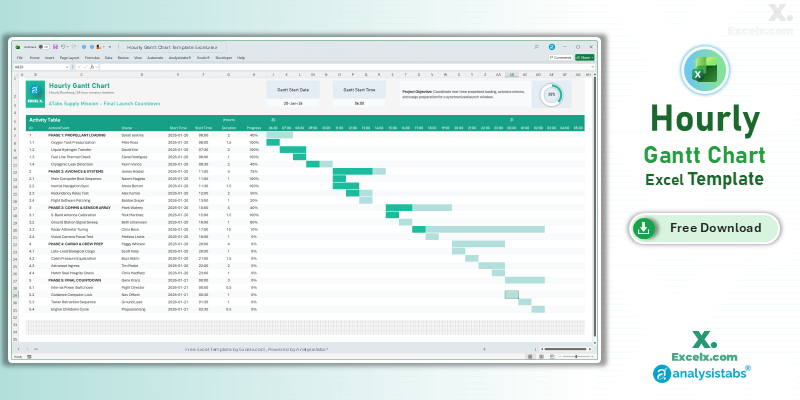
- 24-Hour Timeline: Precision tracking for time-critical mission launches.
- Shift Control: Dedicated owner assignments to manage live coordination.
- Status Dashboard: Includes a progress ring for immediate mission-control status.
Read the Full Guide: How to Plan by the Hour
Daily Project Gantt Chart Excel: Short-Term Task Tracking
The daily project gantt chart excel view is essential for 30-day execution phases where daily accountability is required for success.
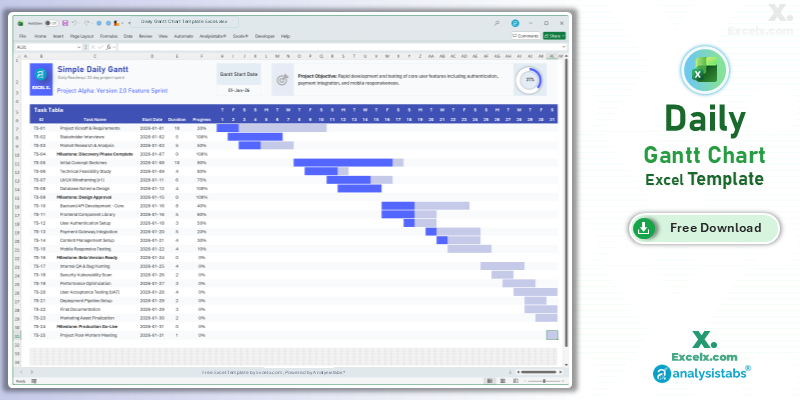
- Day-By-Day Logic: Track specific deadlines with 31-day visibility.
- Immediate Visuals: Automated bars update the second you change a daily duration.
- Standardized View: A clean layout designed for professional short-term tracking.
Read the Full Guide: Daily Task Management Tips
Simple Gantt Chart Template Excel Weekly: For Agile Sprints
The simple gantt chart template excel weekly version is optimized for software and marketing sprints spanning 4 to 12 weeks.
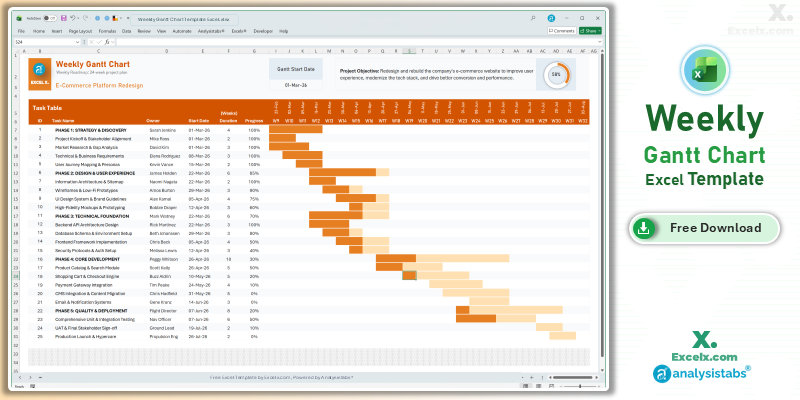
- Agile Sprint View: Perfectly balanced detail for weekly stand-up coordination.
- Owner Accountability: Dedicated columns to ensure every task has a clear leader.
- Dynamic Headers: All weekly dates update automatically based on your start date.
Read the Full Guide: Weekly Sprint Planning Guide
Simple Gantt Chart Templates
50+ Free PM Templates
100+ Free Excel Templates
150+ Premium Templates
Cloud-Based Scheduling FAQ
1. Do my team members need a Google account to use this?
Yes, to edit the gantt chart template google sheets and make a copy to their own Drive, a free Google account is required.
2. Can I export this Google Sheets Gantt chart back to Excel?
Yes. You can go to File > Download > Microsoft Excel (.xlsx). However, we recommend our native Excel versions for the best offline performance.
3. Is the data in my Google Sheet private?
Yes. When you make a copy of our template, the new file is stored in your private Google Drive and is only visible to you and the people you explicitly choose to share it with.
Stop managing your team through email attachments. Access our gantt chart template google sheets today and bring your project collaboration into the cloud. For advanced workload capacity and automated offline dashboards, visit Analysistabs.org.