What You’ll Learn in This Post
- The precise definition of the critical path in project management — official and plain English
- How to identify the critical path on any project schedule, step by step
- What float and slack mean — and why they matter for schedule flexibility
- Real-world critical path examples from IT, construction, and banking
- How the critical path method (CPM) is used in practice
- Why the critical path changes during execution — and how to track it
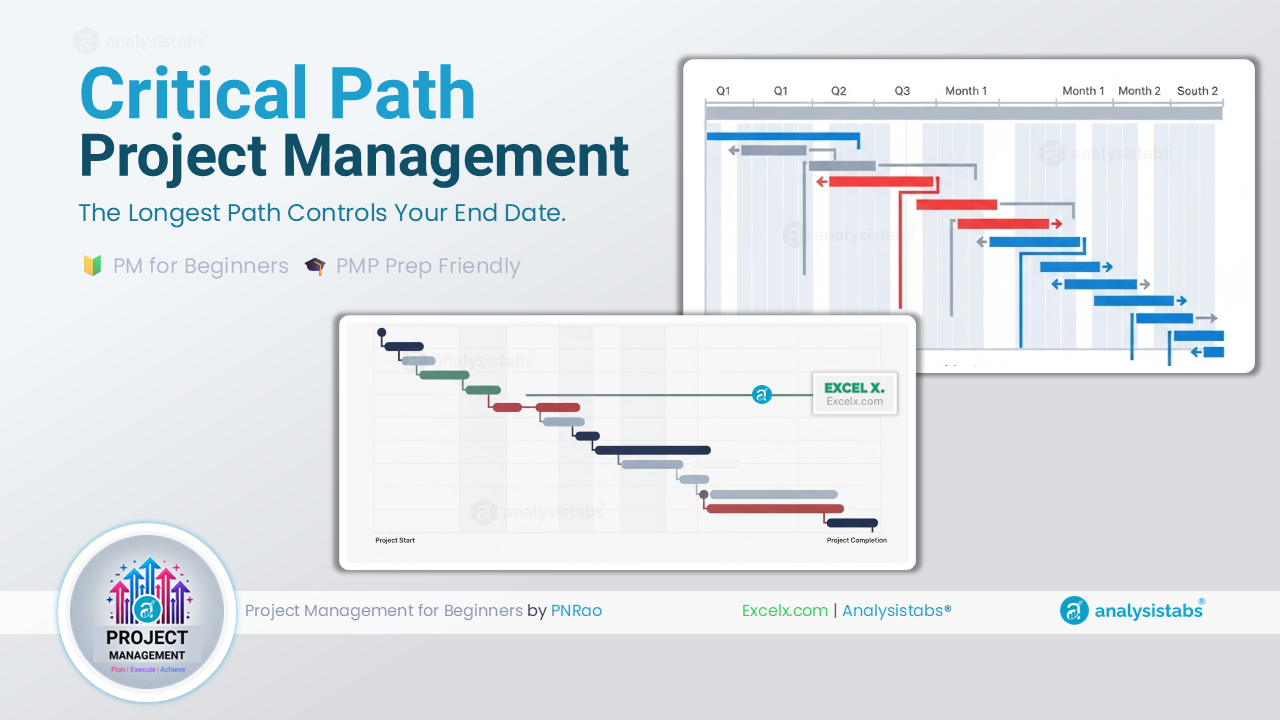
The critical path in project management is the longest sequence of dependent tasks from the start of a project to its finish — and it determines the earliest date the project can possibly be completed. Every project has a critical path, whether it has been formally identified or not. Understanding it is the difference between managing a schedule and simply hoping one holds. Delay any task on the critical path by one day, and the project end date moves by exactly one day — with no room for recovery unless something else changes.
In this post, we explain exactly what the critical path is, how to find it, what float means for tasks that are not on it, and how to use the critical path method in real project environments — not just in textbooks.
What Is the Critical Path in Project Management?
The critical path is the longest continuous chain of dependent tasks running from the project start to the project finish. It is “critical” not because those tasks are more important than others, but because they have zero float — meaning there is no flexibility in their schedule. Any delay on a critical path task immediately extends the project end date.
“The longest path through a project network diagram — it determines the shortest possible project duration.”
— A Guide to the Project Management Body of Knowledge (PMBOK® Guide), Project Management Institute (PMI)
🧑💼 PNRao’s Plain English VersionThe critical path is the sequence of tasks that controls your project end date. If every task on the critical path completes exactly on time, the project finishes on its planned date. If any one of those tasks is late — even by a single day — the project end date moves by the same amount. Tasks not on the critical path have some scheduling flexibility; critical path tasks have none.
🎓 PMP Exam TipThe PMP exam tests critical path in multiple ways. The most important facts to know: the critical path has zero float, a project can have more than one critical path (when two paths have equal duration), and the critical path is determined by the network diagram — not by importance, cost, or risk level. A task can be low-cost and low-risk but still sit on the critical path.
The Critical Path Method (CPM) — How It Works
The Critical Path Method (CPM) is a scheduling technique developed in the 1950s by DuPont and Remington Rand for managing large industrial projects. Today, it remains the foundation of schedule management in every major project management framework — including PMBOK — and is built into every professional scheduling tool.
CPM works by mapping all project tasks as a network, assigning durations, linking them with dependencies, and then calculating two things through the network: the earliest each task can start and finish, and the latest it can start and finish without delaying the project. The difference between these two calculations reveals the critical path and the float available on every other task.
The Forward Pass and Backward Pass
CPM uses two calculations to analyse the network:
Tasks where the float equals zero form the critical path. Tasks with positive float have scheduling flexibility — they can slip by that amount without affecting the project end date. Consequently, the PM can focus recovery efforts on critical path tasks, while allowing some tolerance on non-critical ones.
What Is Float and Slack?
Float (also called slack) is the amount of time a task can be delayed without delaying the project end date. It is, in essence, the scheduling buffer that distinguishes non-critical tasks from critical path tasks. Understanding float is just as important as understanding the critical path itself — because float reveals where scheduling flexibility exists and, therefore, where the PM has room to manoeuvre when problems arise.
Two Types of Float
Total float is the amount of time a task can be delayed without pushing back the overall project completion date. It is the most commonly referenced float figure in project management. For example, if a task has 5 days of total float, it can slip by up to 5 days before the project end date is affected. Tasks on the critical path, by definition, have zero total float.
Free float is the amount of time a task can be delayed without affecting the earliest start of its immediate successor. Free float is always less than or equal to total float. It is particularly useful when managing task-level scheduling — specifically, a task manager can use their free float without needing to communicate the delay to the next team in the sequence, because no impact occurs downstream.
📌 Float Is Not a Buffer to Spend FreelyA common misconception is that float represents spare time that can be used without consequence. In reality, float is shared across the path — if one task consumes its total float, every subsequent task on the same path loses the same flexibility. Consequently, PMs should treat float as a risk buffer to be managed carefully, not as an invitation to let tasks slip.
🎓 PMP Exam TipThe PMP exam uses both “float” and “slack” interchangeably — they mean exactly the same thing. The formula is: Float = LS − ES (or LF − EF). Critical path tasks have float = 0. A negative float means the task is already behind schedule relative to the project end date constraint — this is a serious warning sign that requires immediate attention.
How to Find the Critical Path — Step by Step
Finding the critical path does not require specialist software — it can be done manually on any project with a clear task list and dependencies. In practice, however, tools like Microsoft Project, Smartsheet, or even a structured Excel schedule will calculate it automatically once dependencies are correctly mapped. The steps below work regardless of the method used.
Start with a complete task list — every piece of work the project must deliver, broken down to a level where individual durations can be estimated with reasonable confidence. Each task should have a named owner and a duration estimate. Notably, the accuracy of the critical path calculation is directly proportional to the accuracy of these estimates — optimistic durations produce an optimistic critical path that will not hold in execution.
Identify and document every dependency between tasks — which ones must finish before others can start. This produces the network diagram that CPM operates on. Without complete and accurate dependencies, the critical path calculation will be wrong — and the schedule will misrepresent the true sequence of work. This is, consequently, the step where most scheduling errors originate.
Starting from the project start date, calculate the earliest start and earliest finish for each task in sequence, working through the network from left to right. Where multiple predecessors feed into a single task, the earliest start for that task is determined by the latest finishing predecessor — because all predecessors must be complete before the successor can begin.
Working backwards from the project end date, calculate the latest finish and latest start for each task. Where a task feeds into multiple successors, its latest finish is constrained by the earliest latest start among those successors. The backward pass reveals how much scheduling flexibility each task has before it begins to affect the end date.
Subtract the earliest start from the latest start for each task (LS − ES). Tasks with zero float form the critical path — they are the tasks that directly control the project end date. Additionally, tasks with very small positive float (one or two days) should be watched closely — they are “near-critical” and can easily shift onto the critical path if a small delay occurs.
A Critical Path Example — Worked Through
The following simplified example shows how the critical path emerges from a network of tasks with different durations and dependencies. This type of scenario appears regularly on the PMP exam and in real project schedule reviews.
| Task | Duration | Predecessor | Earliest Start | Earliest Finish | Float | Critical? |
|---|---|---|---|---|---|---|
| A — Requirements | 5 days | None (Start) | Day 0 | Day 5 | 0 | ✅ Yes |
| B — UI Design | 4 days | A | Day 5 | Day 9 | 3 | ❌ No |
| C — Database Design | 7 days | A | Day 5 | Day 12 | 0 | ✅ Yes |
| D — Development | 10 days | B, C | Day 12 | Day 22 | 0 | ✅ Yes |
| E — Testing | 5 days | D | Day 22 | Day 27 | 0 | ✅ Yes |
| F — Documentation | 3 days | D | Day 22 | Day 25 | 2 | ❌ No |
| G — Go-Live | 1 day | E, F | Day 27 | Day 28 | 0 | ✅ Yes |
The critical path for this project is: A → C → D → E → G — a total duration of 28 days. Task B (UI Design) has 3 days of float — it can slip by up to 3 days without affecting the project end date. Similarly, Task F (Documentation) has 2 days of float. Neither B nor F is critical, but both feed into Task D and G respectively — so their float must be monitored, particularly as execution progresses.
💡 Key Insight From This ExampleNotice that Task D (Development) has two predecessors — Task B and Task C. Its earliest start is determined by the later of the two: Day 12, when Task C finishes. Even though Task B finishes on Day 9, Development cannot start until Day 12. This is precisely how the critical path emerges — it flows through the longest chain, not through every task.
Managing the Critical Path During Project Execution
Identifying the critical path during planning is only the first step. Managing it actively throughout execution is what actually protects the project end date — because the critical path is not static. It changes as tasks are completed, durations shift, and new dependencies emerge during live delivery.
The Critical Path Can Change During Execution
As tasks complete or slip during execution, float values change across the network. A near-critical task with two days of float can become critical if a small delay consumes that buffer. Furthermore, when a non-critical task slips significantly, it can create a new critical path that the PM was not tracking. This is why weekly critical path reviews — not just initial identification — are essential on any project with a hard deadline.
Schedule Compression Techniques for Critical Path Tasks
When the critical path is too long — meaning the project end date exceeds the required deadline — two standard compression techniques are available:
Both techniques apply specifically to critical path tasks — compressing non-critical tasks does not shorten the project end date. Notably, applying compression to the wrong tasks wastes resources and creates risk without delivering any schedule benefit. This is one of the most common — and most costly — mistakes made when a project is under schedule pressure.
On a commercial office development project, the programme manager received pressure in Week 8 to recover a three-week schedule overrun. The initial response from the site team was to increase labour on fit-out activities — interior finishing, flooring, and decorating — which were running slightly behind.
However, a critical path review revealed that fit-out was not on the critical path. The critical path ran through structural steelwork, MEP (mechanical, electrical, plumbing) installation, and building control sign-off — all of which were tracking to plan. Consequently, adding resource to fit-out would not have recovered a single day from the end date. Instead, the recovery plan focused on accelerating the MEP commissioning sequence by overlapping testing phases and pre-booking the building control inspector two weeks earlier than originally planned. Within four weeks, the programme had recovered two of the three lost weeks — without spending the additional labour budget that had initially been requested.
For a comprehensive reference on critical path scheduling, ProjectManagement.com’s CPM reference provides detailed methodology documentation used by practitioners across all industries.
🎯 Key Takeaways — The 90-Second Summary