What You’ll Learn in This Post
- The precise definition of an issue in project management — and why it is fundamentally different from a risk
- The issue lifecycle — from identification through escalation to resolution and formal closure
- How to build and maintain an issue log that drives accountability and resolution
- When and how to escalate an issue — and what happens when you escalate too late or not at all
- Real-world issue examples across healthcare, banking, construction, IT, and retail
- What a RAID log is and how it combines risks, actions, issues, and decisions into a single management tool
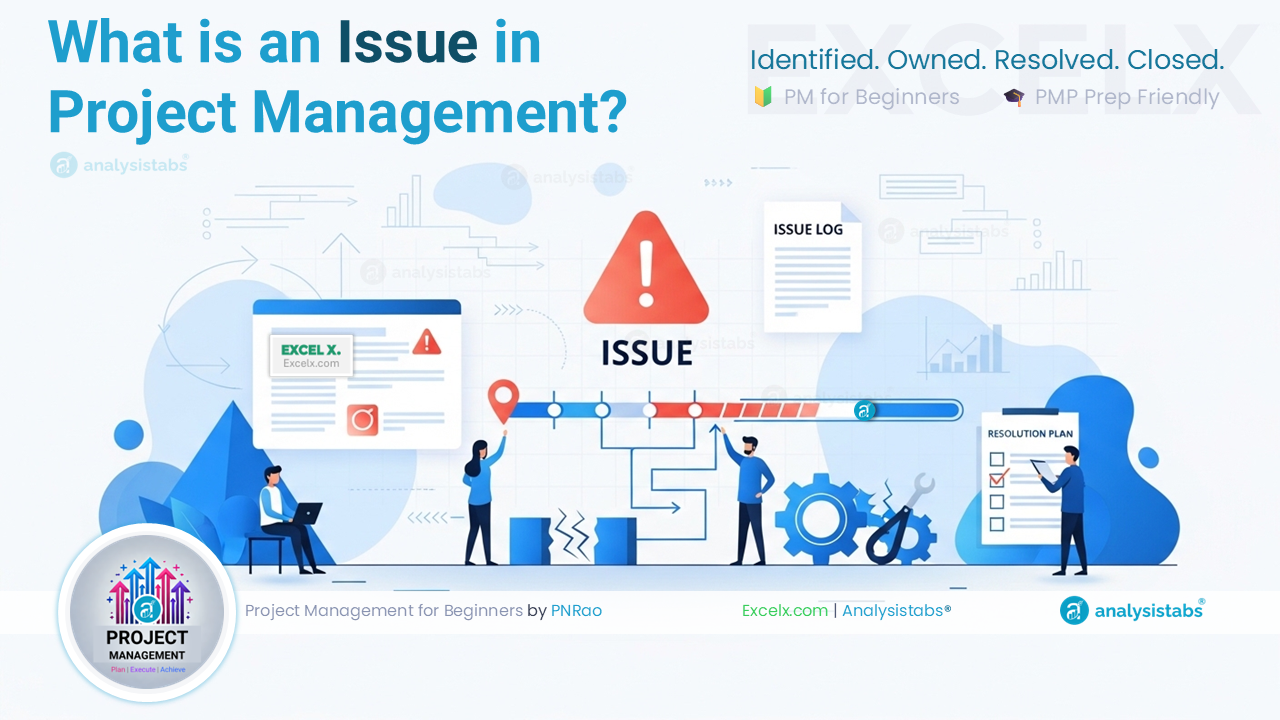
An issue in project management is a problem, conflict, gap, or blocker that has already occurred and is actively affecting the project’s ability to deliver its objectives — requiring an immediate response from the project manager or the project team. Every project encounters issues during delivery. The difference between projects that recover cleanly and projects that spiral is not whether issues occur, but whether they are captured, owned, and resolved with discipline rather than absorbed informally and allowed to compound.
Specifically, in this post we cover the official definition of a project issue, how it differs from a risk, the six fields every issue log entry needs, how to escalate effectively, and a practical framework for managing issues from identification through to formal closure.
What Is an Issue in Project Management?
An issue in project management is any event, condition, or conflict that has already occurred — or is currently occurring — that is negatively impacting the project and requires a decision or action to resolve. However, issues are not future uncertainties — they are present realities. Consequently, they require a fundamentally different response than risks: not a prevention plan, but an immediate action plan with a named owner and a resolution deadline.
“A point or matter in question or in dispute, or a point or matter that is not settled and is under discussion or over which there are opposing views or disagreements.”
— A Guide to the Project Management Body of Knowledge (PMBOK® Guide), Project Management Institute (PMI)
A project issue is anything that is already going wrong — or already blocking progress — on your project right now. If it is happening today and needs a decision or an action from someone to fix it, it is an issue. The moment a risk materializes — the vendor delivers late, the key developer resigns, the regulatory ruling changes — it stops being a risk and becomes an issue. Your job at that point is not to update the risk register; it is to open an issue, assign an owner, and drive it to resolution.
Issue vs. Risk — The Distinction That Changes How You Respond
The issue vs. risk distinction is one of the most practically important in project management — and one of the most routinely blurred on real projects. Treating an issue as a risk — logging it on the risk register and waiting — means losing critical response time. By contrast, treating a risk as an issue — reacting urgently to something that may never happen — wastes resources and creates unnecessary team stress.
The PMP exam regularly tests the risk-to-issue transition. A key principle to remember: when a risk event occurs, the risk is closed and a new issue is opened. That issue inherits the risk’s context — the original risk description, the probability and impact assessment, and any contingency plan that was prepared — but it is now managed as an active problem, not a future uncertainty. The exam also tests that issues requiring decisions or resources beyond the PM’s authority must be formally escalated — not absorbed silently.
The Issue Lifecycle — From Identification to Closure
Every issue in project management passes through a defined lifecycle — from the moment it is identified to the moment it is formally closed. Understanding this lifecycle prevents the two most common issue management failures: issues that are raised but never formally logged, and issues that are logged but never formally closed.
The most important step in this lifecycle is the final one — formal closure. Specifically, an issue should only be closed when the resolution has been implemented and its effectiveness confirmed, not when the agreed action has simply been assigned. In practice, many issue logs accumulate dozens of “in progress” entries that were never formally closed because nobody verified the resolution. Additionally, every closed issue should carry a brief closure note explaining what was done, who made the decision, and what the outcome was — because that information feeds directly into the lessons learned review at project closure.
A common misconception is that only the project manager can raise issues. In practice, any team member, stakeholder, or sponsor can — and should — raise issues as soon as they identify them. The PM’s job is to create an environment where raising issues is expected and normal, not a sign of failure or negativity. Consequently, teams that suppress issues to avoid difficult conversations do not have fewer problems — they have the same problems, just discovered later and at higher cost.
How to Build and Maintain an Issue Log
The issue log is the primary tool for tracking every issue in project management from identification through to resolution. Specifically, like the risk register, it is a living document that must be reviewed at every status meeting. Unlike the risk register, which looks forward at what might happen, the issue log manages what is happening right now — which means every open entry represents an active drag on project performance until it is resolved.
The Seven Fields Every Issue Log Entry Needs
| Field | What to Record | Example |
|---|---|---|
| Issue ID | A unique reference number for tracking and reporting | I-014 |
| Issue Description | A clear statement of what has occurred, the root cause (if known), and the current impact on the project | “Cloud environment provisioning delayed by 8 days due to vendor capacity issues. Development sprint 2 cannot start — 8-day schedule impact confirmed.” |
| Date Raised | The date the issue was formally logged — not the date it was first discussed informally | March 12, 2025 |
| Priority | High / Medium / Low — based on impact on project objectives, not on who raised it | High — blocks critical path |
| Issue Owner | The named individual responsible for driving the issue to resolution — not just the person it was assigned to for awareness | Infrastructure Lead — Sarah Chen |
| Resolution Plan | The specific actions being taken, with dates and interim milestones if the resolution will take more than a few days | “Vendor escalated to account manager. Alternative environment requested from secondary vendor by March 14. Resolution target: March 16.” |
| Status / Closure | Current status (Open / In Progress / Escalated / Resolved / Closed) and, when closed, a brief note on how it was resolved and the final impact | Closed March 15 — secondary vendor provisioned environment. Net schedule impact: 3 days recovered through parallel task resequencing. |
Building your issue log alongside your project plan from day one ensures you have a consistent format ready before issues start arriving. Our free Action Items Tracker Template can be adapted as a lightweight issue log for smaller projects. For a dedicated issue log with priority scoring, owner tracking, and closure fields, download our Project Plan Template — the issue log is included as a dedicated sheet alongside the risk register and RAID log.
How to Escalate a Project Issue — and When
Escalation is the formal process of raising an issue to a higher level of authority when the current decision-maker — typically the project manager — does not have the authority, resources, or information required to resolve it. Far from being a sign of failure, escalating promptly to the right person at the right time is one of the most important things a project manager can do. Failing to escalate — absorbing issues silently in the hope they will resolve themselves — is one of the most reliable predictors of late project failure.
When to Escalate
An issue should be escalated immediately when any of the following conditions are met:
How to Escalate Effectively
Effective escalation is not simply forwarding an email marked “URGENT.” It requires preparing the decision-maker to act quickly and confidently. When escalating a project issue, always provide: the issue description and current impact, the options available with the trade-offs of each, your recommended course of action, and the decision required from the escalation recipient by a specific date. Specifically, this structure respects the decision-maker’s time, demonstrates that the PM has done the analysis, and ultimately produces faster, better decisions than an unstructured panic escalation.
In my experience, the single biggest escalation mistake PMs make is waiting too long — and the reason they wait is almost always the same: they do not want to look like they cannot handle their own project. After 20 years, I can tell you that sponsors do not lose confidence in a PM who escalates promptly with a clear analysis and a recommended solution. They lose confidence in PMs who surface critical issues at the steering committee that have been festering in the issue log for three weeks. Escalate early, come prepared, and recommend a course of action — that is what a senior PM does.
Issue in Project Management — Examples Across Five Industries
An issue in project management takes a different form in different industries — but the identification, logging, and resolution framework remains consistent. The examples below show how real project issues present themselves and how they are managed when the discipline is in place.
| Industry | Project Type | Issue Raised | Priority | Resolution |
|---|---|---|---|---|
| 🏥 Healthcare | Electronic health records rollout | Clinical data migration scripts failed validation — 12% of patient records contained formatting errors that would corrupt the target database if loaded | High — blocks go-live | Migration paused; data remediation team assembled; go-live date moved 2 weeks; board formally notified via escalation memo |
| 🏦 Banking | Core banking platform upgrade | Third-party middleware vendor informed the team in Week 11 that their API version being used was end-of-life and would not be supported after go-live | High — contractual and regulatory impact | Emergency vendor meeting convened; API upgrade costed at $85,000; change request raised; sponsor approved within 48 hours after escalation |
| 🏗️ Construction | Commercial office development | Structural steelwork delivered with incorrect specifications — 40% of beams were 10mm undersized and could not be installed per engineering drawings | High — halts site work on critical path | Supplier escalated under contract; replacement steel ordered same day; 6-day schedule delay accepted; formal defect notice issued to supplier |
| 💻 IT / Software | ERP system implementation | Business owner responsible for approving user acceptance testing scenarios had been reassigned internally — no replacement named, UAT blocked for 5 days | Medium — schedule risk if unresolved within 48 hours | PM escalated to project sponsor; replacement approver named within 24 hours; UAT resumed with 1-day net delay |
| 🏪 Retail | New warehouse management system | Legacy barcode scanning hardware incompatible with new system — discovered during integration testing; 340 scanners across 4 warehouses affected | High — affects entire go-live scope | Hardware refresh costed at $120,000; phased go-live approach approved; two warehouses delayed by 6 weeks to allow hardware procurement |
On a large electronic health records rollout across a 900-bed US hospital, the project was in Week 14 of an 18-week delivery when the data migration lead raised an issue during the daily standup: a validation script had flagged 7,400 patient records — roughly 12% of the total migration dataset — with date format inconsistencies that would cause silent data corruption in the target system. The issue was logged as High priority within the hour, and the PM escalated to the hospital’s Chief Medical Information Officer and the IT Director the same afternoon with a written impact assessment and three resolution options, along with a recommended course of action.
As a result of the early escalation, the decision to pause the migration and assemble a dedicated data remediation team was made within 24 hours — before any corrupted data reached the new system. Ultimately, the remediation took 11 days, pushing go-live back by 2 weeks. However, a post-project review estimated that proceeding without the fix would have required 6–8 weeks of post-go-live data correction work, at significantly higher cost and with direct clinical risk. The issue was formally closed with a documented root cause — the legacy system had been using a non-standard date format for records created before 2008 — and the finding was added to the data migration checklist for all future rollouts in the hospital network.
What Is a RAID Log — and How It Connects to Issue Management
Many experienced project managers use a RAID log as their primary project management tracking tool — and for good reason. RAID stands for Risks, Actions, Issues, and Decisions — where the “I” represents every issue in project management raised during delivery. Some organizations use “D” for Dependencies rather than Decisions. Consequently, it consolidates four of the most important management artifacts into a single document, making it far easier to maintain and review at status meetings than four separate logs.
Risks — Future Uncertainties
The R in RAID captures all identified project risks — uncertain events that have not yet occurred but could affect project objectives. Each risk entry includes probability, impact, a risk score, and a named response plan. When a risk occurs, it moves from the R section to the I (Issues) section of the RAID log, maintaining the full audit trail from initial identification through to resolution.
Actions — Open Commitments
The A captures all open action items — commitments made in meetings, workshops, or review sessions that have a named owner and a due date. Actions are distinct from issues in that they represent proactive steps the team has agreed to take, rather than reactive responses to problems that have already occurred. However, an action that remains open past its due date often creates an issue — which is why the two sections are tracked side by side in the RAID log.
Issues — Active Problems Requiring Resolution
The I section is the issue log — all problems that are currently occurring and require an active response. This is the section that should receive the most attention at every weekly status review. Specifically, every open issue should be reviewed against its resolution deadline, its current owner, and the progress of the action plan. Issues that are stale — open for more than two status cycles without progress — are candidates for immediate escalation.
Decisions — Formal Decisions Made on the Project
The D captures every significant project decision — what was decided, who made the decision, when it was made, and what the rationale was. This section is often overlooked but becomes invaluable during project audits, post-project reviews, and dispute resolution. Additionally, it provides continuity when team members change — a new stakeholder can review the decision log to understand why the project is built the way it is, rather than relitigating past decisions that already have a documented rationale.
A RAID log works best on mid-size projects where a single consolidated document is manageable and the PM reviews it weekly with a small core team. On large programs with multiple workstreams, a dedicated risk register and a separate issue log are more practical — the volume of entries in each section makes a single RAID document unwieldy. The format matters less than the discipline: whichever tool you use, it must be reviewed at every status meeting, every entry must have a named owner, and nothing should sit open without a resolution deadline.
How to Manage Issues in Project Management — Practical Framework
Effective issue management in project management follows a simple but rigorous process. Indeed, the framework below applies across project sizes, industries, and delivery methodologies — from a 6-week software sprint to a 3-year infrastructure program.
Create the Issue Log Before the Project Starts
The issue log should be set up during the planning phase — alongside the risk register — before a single issue has been raised. This sends a clear signal to the team that issue capture is expected and structured, not ad hoc. At a minimum, define the format, the priority scale, the escalation path, and the review cadence before project kick-off. Use our free Project Plan Template, which includes a pre-formatted issue log ready to use from day one.
Log Every Issue — No Matter How Small
Every issue that is raised verbally in a meeting, over email, or in a corridor conversation must be formally logged before the end of the same working day. Issues that exist only in a team member’s memory, an email thread, or a chat message are not being managed — they are being ignored with extra steps. Furthermore, the discipline of logging everything, including minor issues, builds the cultural habit that means major issues get raised quickly rather than held back out of reluctance to “create a fuss.”
Assign a Priority and a Named Owner Immediately
Every issue must have a priority level and a named owner within 24 hours of being logged. An issue without an owner is an issue without accountability — and without accountability, it will not be resolved. Moreover, the owner does not have to be the person who raised the issue or the person best positioned to fix it; they are the person responsible for driving it to resolution and reporting progress at each status review. Additionally, the priority assessment should be based on objective impact criteria — effect on scope, schedule, cost, and quality — not on the seniority of the person who raised it.
Review Open Issues at Every Status Meeting
The issue log is a standing agenda item at every project status meeting, without exception. Each open issue should be reviewed against three questions: Has the resolution plan progressed as expected? Is the resolution deadline still achievable? Does anything need to be escalated? Issues that are stuck — no progress since the last review — should be escalated immediately, not carried forward to the next meeting. In practice, a weekly review cadence is sufficient for most projects; on fast-moving delivery phases, a twice-weekly review may be warranted for High priority issues.
Close Issues Formally and Capture the Resolution
An issue is not closed when the action is assigned — it is closed when the resolution has been implemented and confirmed effective. When closing an issue, always record: what was done to resolve it, who made the key decision, the final impact on the project (schedule days recovered, cost absorbed, scope adjusted), and whether any follow-on actions or lessons learned should be captured for future projects. Specifically, issues that reveal systemic process gaps — a missing approval gate, an undocumented dependency, a vendor contract clause — should feed directly into the change control process or the project’s lessons learned log to prevent recurrence.
🎯 Key Takeaways — The 90-Second Summary