
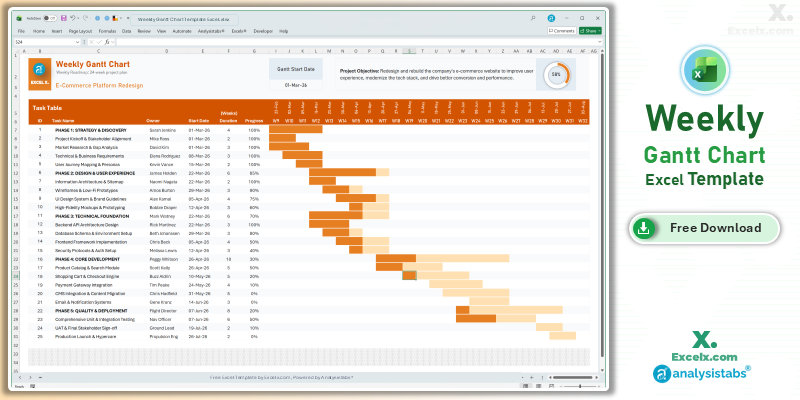
Managing mid-term initiatives requires a broader perspective than daily checklists can provide. Our weekly gantt chart template excel is the go-to tool for managers overseeing 4-to-12 week project cycles. By shifting the focus to weekly milestones, you can effectively communicate resource allocation and delivery timelines to stakeholders without getting lost in granular noise. This simple project gantt chart template is optimized for the US professional environment, balancing high-level strategy with actionable accountability.
Free Weekly Gantt Chart Excel Template: Download Now
If you need a reliable weekly gantt chart template excel free of complex macros, our automated version is the ideal solution for sprint-based planning. It transforms your task list into a professional 12-week roadmap, allowing you to identify bottlenecks and resource gaps before they impact your deadline.
- Sprint-Ready Visualization: Perfectly suited for agile stand-ups, highlighting which tasks are active in the current work week.
- Dynamic Calendar Logic: Input your project launch date, and the template automatically generates sequential week numbers and date ranges.
- Resource & Owner Tracking: Dedicated “Owner” fields let you assign accountability, making it easy to see who is leading each project phase.
Looking for a different timeline? Jump to a version:
How to Customize Your Simple Project Gantt Chart Template Excel
To get the most out of your simple project gantt chart template excel xls, follow these quick steps to tailor it to your specific sprint needs. Understanding how to adjust your automated gantt chart excel template will save you hours of manual formatting.
Step-by-Step Setup Instructions:
- Update Project Title: Enter your specific project name in cell C3 to customize the header of the chart.
- Define Project Objective: Clearly state your project goals in the Project Objective field to keep your team focused on the sprint goal.
- Set Gantt Start Date: Modify the Gantt Start Date cell to automatically shift the weekly headers and timeline bars.
- Input Your Tasks & Owners: Add your milestones to the Task Table and assign a specific Owner to each task for better accountability.
- Manage Task Details: For each row, specify the Start Date, Duration (in weeks), and Progress percentage to update the visual bars and progress ring instantly.
- Observe Protected Areas: We recommend keeping the sheets protected to avoid breaking the automated logic, but you can always unprotect them for deeper customization.
Need to customize the layout or add more tasks?
How to Build a Weekly Gantt Chart in Excel
Creating a weekly gantt chart template excel requires specific logic to ensure bars span the correct date ranges. Here are the professional standards we used to build this file:
- Week-Number Alignment: We utilize the
ISOWEEKNUMorWEEKNUMfunctions to ensure the timeline headers align with your corporate fiscal calendar. - Visual Pacing: The conditional formatting is set to recognize a 7-day block, ensuring that even if a task starts mid-week, the progress is visually represented within that weekly “bucket.”
- Automated Summary: The master progress ring at the top aggregates individual task completion percentages, giving you a real-time health check of the entire project.
Choose More Gantt Chart Templates for Different Time Periods
Explore our other automated simple gantt chart template excel variants designed for different tracking needs across your business.
Hourly Gantt Chart Template Excel: For Precision Planning
When minutes matter, our hourly gantt chart template excel provides 24-hour precision. It is the best simple project gantt chart template for high-intensity event management or manufacturing shift planning.
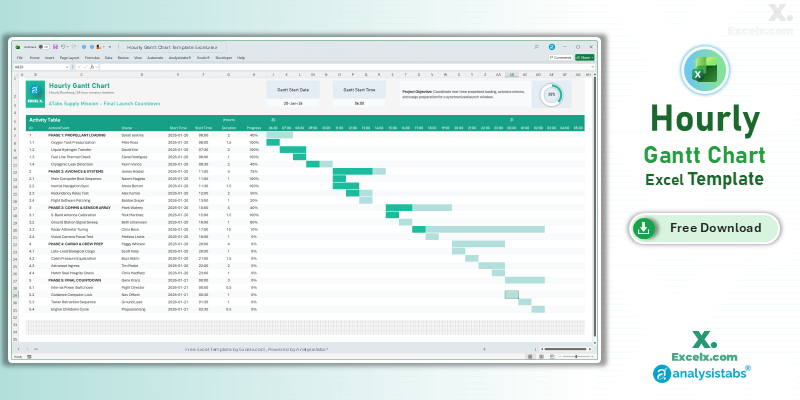
- 24-Hour Timeline: Automated AM/PM formatting for granular control.
- Shift Pacing: Easily track handovers and time-sensitive milestones.
- Interactive Visuals: The timeline area updates the moment you change a task’s start time.
Read the Full Guide: How to Plan by the Hour
Daily Project Gantt Chart Excel: Short-Term Task Tracking
The daily project gantt chart excel view is essential for 30-day execution phases where daily progress updates are mandatory for project success.
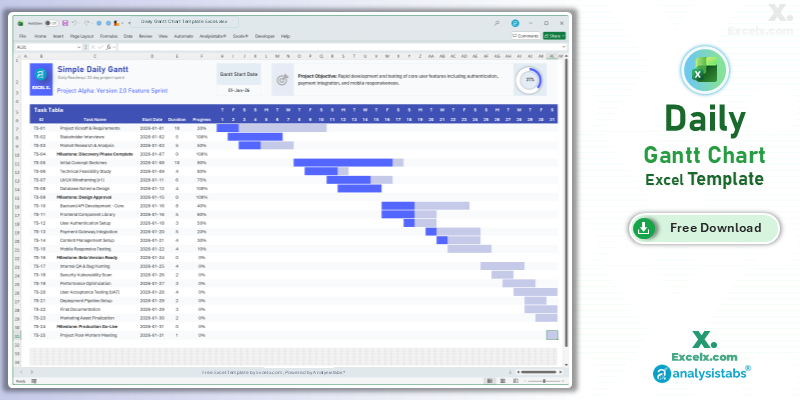
- Day-By-Day Logic: Track deadlines with absolute precision over a 31-day period.
- Deadline Awareness: Built-in milestone markers highlight high-priority dates.
- User-Friendly Entry: Designed for beginners to create professional schedules in seconds.
Read the Full Guide: Daily Task Management Tips
12-Month Annual Gantt Chart Template: Yearly Strategy
Strategic roadmapping requires a bird’s-eye view. The 12 month gantt chart template excel allows you to map out yearly objectives and quarterly goals on a single sheet.
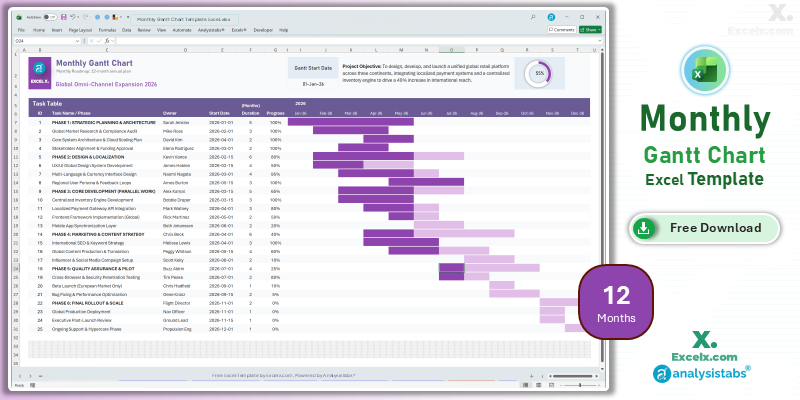
- Annual Visibility: Visualize your entire 2026 roadmap without horizontal scrolling.
- Quarterly Alignment: Perfect for identifying busy periods across different departments.
- Executive Reporting: High-level visuals designed for boardroom presentations and strategy reviews.
Read the Full Guide: Strategic Planning with Annual Gantt Charts
Simple Gantt Chart Templates
50+ Free PM Templates
100+ Free Excel Templates
Premium Gantt Chart Templates
150+ Premium Templates
Weekly Scheduling FAQ
1. Why use a weekly Gantt chart instead of a daily one?
A weekly gantt chart template excel reduces visual clutter for longer projects. It allows teams to focus on delivering work in “sprints” or “blocks,” which is often more productive for creative and technical teams.
2. Can I track weekends in the weekly view?
In this version, the focus is on the work week as a whole. While the timeline bars represent the full week, the underlying formulas calculate durations based on standard work weeks to keep your roadmap clean.
3. Can I change the week start day to Monday?
Yes. Simply update the “Gantt Start Date” to a Monday. The simple gantt chart template excel will automatically adjust all column headers to follow your chosen weekly cycle.
Eliminate project lag and keep your team accountable. Download our weekly gantt chart template excel today. For advanced resource capacity tools and automated dashboards, visit Analysistabs.org.