
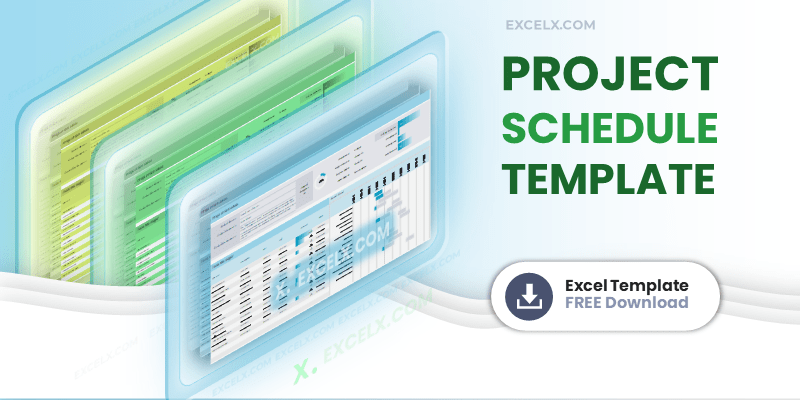
- ⬇ Free Download
- 📋 What Is It
- 🔍 What’s Inside
- 🚀 How to Use
- 📊 Schedule Types
- ⚖️ Schedule vs Plan
- ⭐ Best Practices
- 💡 Excel Tips
- ❓ FAQ
- 💬 Comments
Download a free Excel Project Schedule Template with task management, milestone tracking, automated Gantt chart, dependency logic, and a project dashboard. Includes project details header, task assignments, start/end dates, status dropdowns, and progress monitoring. Works in Excel 2016–365 and Google Sheets.
Free Project Schedule Template Excel: Download Now
This Project Schedule Template is a free Excel spreadsheet that helps you plan tasks, set milestones, track dependencies, and visualize your entire project timeline with an automated Gantt chart. Includes a project dashboard for at-a-glance status reporting.
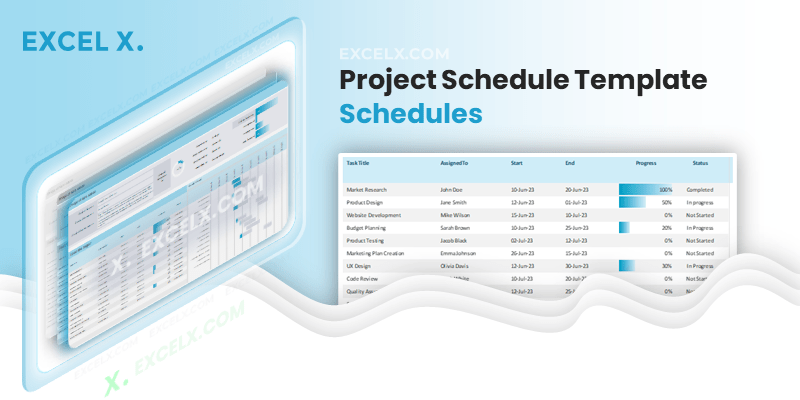
- Task Management: Break projects into manageable tasks with clear ownership, start/end dates, and status tracking.
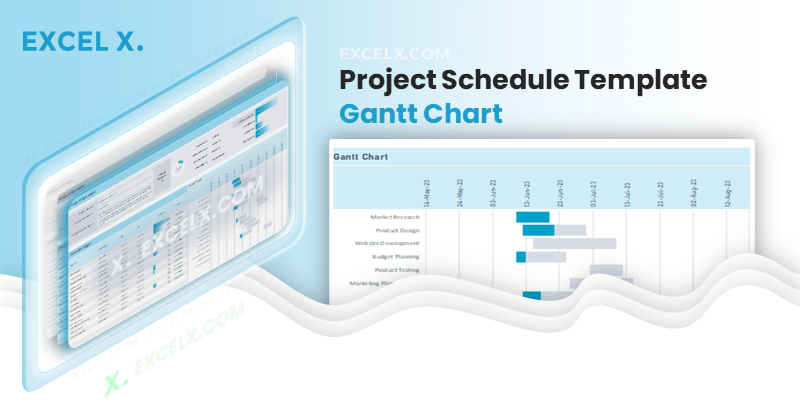
- Automated Gantt Chart: Visual timeline that updates automatically as you enter task dates and durations.
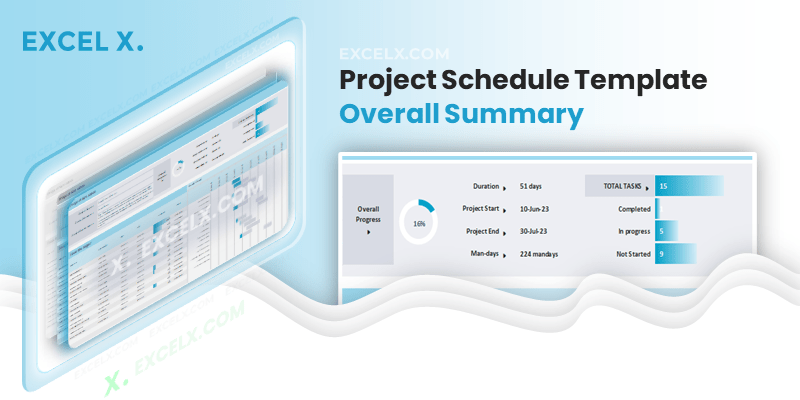
- Project Dashboard: Overall progress, man-days, and task status percentages in one high-level view.
What Is a Project Schedule Template?
A project schedule template is a pre-formatted spreadsheet that helps you plan, visualize, and track tasks, timelines, and milestones across your project’s lifecycle. It transforms scattered task lists into an organized timeline with clear ownership, dependencies, and progress tracking.
Unlike a simple to-do list, a project schedule adds the time dimension — showing not just what needs to be done, but when each task starts, how long it takes, and how tasks relate to each other through dependencies. This is what makes scheduling the bridge between planning and execution.
A well-built project schedule serves as your project’s single source of truth for timing. Everyone on the team can see what’s due this week, what’s coming next month, and where the project stands relative to the original timeline. It’s particularly valuable when managing projects with multiple workstreams, external dependencies, or client-facing deadlines.
The schedule typically comes after the Project Charter (which defines scope) and the WBS (which identifies all tasks). Once you have your task list from the WBS, the schedule adds dates, durations, dependencies, and a visual Gantt chart to bring the plan to life.
If you’re new to organizing data in spreadsheets, our guide on what Excel is and why it’s essential covers the fundamentals.
What’s Inside This Template
The template includes four integrated sections — Project Details, Overall Dashboard, Task Tracker, and Automated Gantt Chart. Each section feeds into the next, so updating task data automatically refreshes your dashboard and Gantt view.
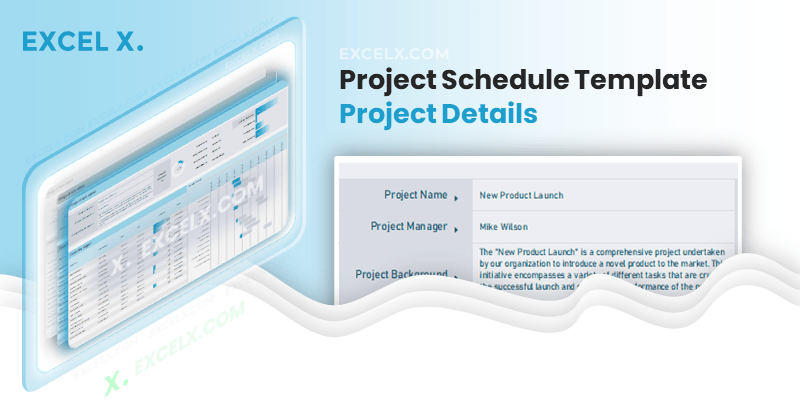
1. Project Details & Roadmap
2. Overall Project Dashboard
3. Task Entry & Status Tracker
4. Automated Gantt Chart
Get all free PM templates delivered to your inbox
How to Use This Template
-
Download and openGet the template in Excel (2016 or later) or Google Sheets. See our guide on creating a new workbook if needed.
-
Fill in Project DetailsEnter your project name, manager, sponsor, objectives, and target start/end dates in the header section.
-
Enter your tasksList all tasks from your WBS in the task table. Enter task name, assigned owner, start date, end date, and any dependencies.
-
Set status for each taskUse the dropdown to mark each task as Not Started, In Progress, or Completed. The dashboard updates automatically.
-
Review the Gantt chartThe visual timeline shows all tasks as horizontal bars. Use this to identify scheduling conflicts, resource overlaps, and the critical path.
-
Monitor the dashboardCheck overall progress, man-days, and completion percentages. Share this view with stakeholders for status reporting.
-
Update regularlyReview and update task status weekly. The Gantt chart and dashboard refresh automatically, keeping your schedule current.
Choosing the Right Schedule Type
Your choice depends on project complexity, industry, and management methodology.
Gantt Chart Schedule
The industry standard. Tasks displayed as horizontal bars on a timeline. Shows durations, overlaps, and progress at a glance. Best for most projects. Our Gantt Chart Templates offer 11 views from hourly to multi-year.
Milestone Schedule
Focuses on key achievements and deliverable dates rather than individual tasks. Best for executive reporting and client-facing communication where stakeholders need the big picture without task-level detail.
Critical Path Schedule
Identifies the longest sequence of dependent tasks that determines the project’s minimum duration. Any delay on the critical path delays the entire project. Essential for complex projects with tight deadlines.
Construction Schedule
Optimized for site milestones, contractor dependencies, permit timelines, and inspection gates. Includes phases like pre-construction, foundation, structure, finishing, and handover.
Agile Sprint Schedule
Tasks organized into 1-4 week sprints with backlog grooming, sprint planning, and retrospective events built in. Pairs well with our Agile Software Dev Plan.
Master Schedule
Consolidates multiple project schedules into one integrated view. Shows cross-project dependencies and resource conflicts. Use with our Multiple Project Tracker.
5 Elements of a Robust Project Schedule
1. Task Granularity
Define tasks at the right level of detail — specific enough to assign and estimate, but not so granular that the schedule becomes unmanageable. Each task should take 1-10 days. Use a WBS Template to decompose large deliverables first.
2. Duration Estimates
Set realistic durations based on team capacity, historical data, and task complexity. Add 15-20% buffer for uncertainty. Overly optimistic estimates are the most common cause of schedule failure.
3. Dependency Logic
Map which tasks must finish before others can start (finish-to-start), which can run in parallel, and which share resource constraints. Dependencies define the critical path and prevent scheduling conflicts.
4. Resource Allocation
Assign each task to a specific person and verify they have capacity. Over-allocated team members create bottlenecks. Use a RACI Matrix to clarify who’s Responsible vs Accountable vs Consulted.
5. Milestone Goals
Define tangible achievements that mark the completion of major phases — design sign-off, code freeze, client approval, go-live. Milestones create checkpoints for progress reporting and keep the team focused on delivering outcomes, not just completing tasks. They’re also what stakeholders and sponsors care most about.
Project Schedule vs Project Plan
• Focuses on when — dates, durations, dependencies
• Visual timeline with Gantt chart
• Task-level detail with start/end dates
• Answers: “What’s happening this week?”
• Updated frequently (weekly or more)
• Broader — includes schedule PLUS scope, resources, budget, risks
• The comprehensive management document
• Answers: “How will we deliver this project?”
• Created once, updated at milestones
→ Project Plan Templates
The schedule is the time-specific component extracted from your project plan. Build the charter first (scope), then the WBS (tasks), then this schedule (timeline). The schedule feeds back into the project plan as the definitive timeline reference.
Recommended PM workflow
2. WBS →
3. Project Plan →
4. Schedule ✓ →
5. Gantt Chart →
6. RACI →
7. Action Items →
8. Multi-Tracker
Best Practices for Project Scheduling
Don’t jump straight into dates. First identify all the work using a Work Breakdown Structure, then add the time dimension. Scheduling tasks you haven’t properly decomposed leads to missed work and inaccurate estimates.
The people doing the work are the best estimators. Involve task owners when setting durations and dependencies. Top-down schedules imposed without team input are almost always unrealistic.
The critical path is the longest chain of dependent tasks. Any delay on this chain delays the entire project. Know which tasks are on the critical path and protect them with buffer time and priority attention.
Don’t pad every task. Instead, add project-level buffer at the end and phase-level buffer between major milestones. This protects the overall deadline without encouraging Parkinson’s law at the task level.
A schedule that isn’t updated weekly becomes fiction. When dates change, communicate immediately to affected stakeholders. Use the dashboard view for quick status reporting in meetings.
Excel Tips for Project Scheduling
Use =NETWORKDAYS(start, end) to calculate working days excluding weekends. Add a holidays range as the third argument to exclude company holidays. See our Formulas and Functions reference.
Highlight rows based on status: green for Completed, yellow for In Progress, red for overdue (where end date is past today and status is not Completed). Instant visual project health.
Use Data → Data Validation → Allow: List for status dropdowns (“Not Started, In Progress, Completed”). Prevents typos and makes dashboard COUNTIF formulas work reliably. See our Excel Features guide.
Use =WORKDAY(start_date, duration) to automatically calculate the end date based on a start date and number of working days. Speeds up schedule building significantly.
For 50+ tasks, freeze the header row and task name column so they stay visible while scrolling. View → Freeze Panes. Use keyboard shortcuts for faster navigation.
Calculate overall weighted progress: =SUMPRODUCT(duration_range, progress_range)/SUM(duration_range). This gives you a more accurate project completion percentage than a simple average, because longer tasks count more. See our Excel Formulas guide.
Common Scheduling Mistakes to Avoid
- Skipping the WBS: Scheduling tasks you haven’t properly identified leads to gaps. Always build the WBS first.
- Ignoring dependencies: Tasks without dependency logic create unrealistic parallel scheduling. Map predecessor relationships for every task.
- Over-optimistic estimates: The “best case” is not a plan. Add 15-20% buffer based on project complexity and team experience.
- Not tracking the critical path: If you don’t know which tasks drive your end date, you can’t protect the timeline.
- Setting it and forgetting it: A schedule created at kickoff and never updated is useless by week three. Update task status at least weekly.
- Too much detail: A schedule with 500 tasks is unmanageable. Keep the schedule at the work-package level and track subtasks in action items.
Frequently Asked Questions
What is a project schedule template?
A pre-formatted spreadsheet that helps you plan and visualize tasks, timelines, milestones, and dependencies. It adds the time dimension to your task list, showing when each activity starts, how long it takes, and how tasks relate to each other.
What’s the difference between a schedule and a project plan?
A schedule focuses on timing — dates, durations, and dependencies. A project plan is broader, including schedule plus scope, resources, budget, risks, and communication plans. The schedule is one component of the plan.
Can I use this for construction project scheduling?
Yes. The template supports any project type. For construction, use phases like pre-construction, foundation, structure, MEP, finishing, and handover. Add contractor names in the assignment column and permit milestones in the timeline.
How do I identify the critical path?
The critical path is the longest sequence of dependent tasks. In this template, trace the chain of tasks where each one must finish before the next starts. Any delay on this chain delays the whole project. Tasks not on the critical path have “float” — they can slip without affecting the end date.
Can I use this in Google Sheets?
Yes. Standard .xlsx file that opens in Google Sheets. The Gantt chart conditional formatting and dashboard formulas work across platforms.
How many tasks can I track?
The template works well with 20-100 tasks. For larger projects, break the schedule into phase-level schedules and use a master schedule to consolidate. For individual task follow-ups, use our Action Items Template.
Should I create the schedule before or after the WBS?
After. The WBS identifies all the tasks. The schedule then adds dates, durations, and dependencies to those tasks. Without a WBS, you’ll miss tasks and create an incomplete schedule.
How often should I update the schedule?
Weekly at minimum. Update task status, progress percentages, and any date changes. For fast-moving projects, update after every major milestone or sprint. The dashboard and Gantt chart refresh automatically.
What Excel formulas are useful for scheduling?
NETWORKDAYS for business-day counts, WORKDAY for end-date calculation, DATEDIF for duration, COUNTIF for status summaries, and SUMPRODUCT for weighted progress. See our complete formula reference.
Related Templates
Project Plan Templates
9 free templates with Gantt chart and task tracking.
Gantt Chart Templates
11 free timeline views — hourly to multi-year.
WBS Template
Decompose scope into tasks before scheduling.
Project Charter
Define scope and objectives before planning.
Multi-Project Tracker
Monitor multiple project schedules from one dashboard.
RACI Matrix
52 templates to assign roles alongside your schedule.
Ready for Professional Project Power?
Need advanced dashboards, resource leveling, and critical path analysis? Check out our Premium Project Templates.
good job
Thanks you!
How do you add a row to the schedule?
You can add up to 25 rows, please purchase our premium template to add more rows.