
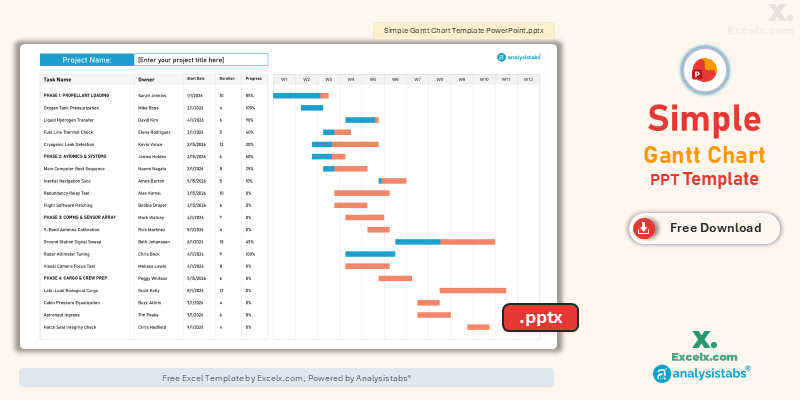
A successful executive briefing depends on your ability to simplify complex data into high-impact visuals. Our simple gantt chart template ppt is the premier tool for project leads who need to present clear, professional roadmaps during board meetings and status reviews. By utilizing a high-contrast, slide-optimized layout, you can effectively communicate your project’s 12-week trajectory without overwhelming your audience with spreadsheet details. This simple project gantt chart template is engineered for the US professional market, ensuring your presentation slides are readable from a distance and perfectly aligned for high-definition displays.
Free Simple Gantt Chart PowerPoint Template: Download Now
If you are looking for a simple gantt chart template ppt free of cluttered data, this slide-based version is our top recommendation for boardroom reporting. It allows you to maintain professional project visuals within a native PowerPoint environment, making it the perfect choice for managers who need to deliver impactful status updates.
- Slide-Ready High Contrast: Optimized with bold colors and clean fonts to ensure readability on projectors and digital screens.
- Executive 12-Week View: Provides a strategic 3-month overview that highlights major deliverables and cross-departmental milestones.
- Real-Time Status Bars: Easily adjustable shapes allow you to update task progress manually during live project reviews.
Looking for a different platform? Jump to a version:
How to Customize Your Simple Project Gantt Chart Template Excel
To ensure your project roadmap delivers maximum impact during your next presentation, follow these steps to configure the simple gantt chart template ppt.
Step-by-Step Setup Instructions:
- Brand Your Slide: Click into the [Enter your project title here] field to add your project name and corporate branding.
- Define the Leads: Update the Owner column to clearly identify who is responsible for each project phase.
- Set the Timeline: Manually update the WK 1 through WK 12 headers to align with your specific quarterly or monthly dates.
- Visualize Progress: Click and drag the blue and orange progress bars to represent the Duration and Completion of each task.
- Update Task Health: Use the Progress % column to provide an exact completion metric for stakeholder clarity.
- Format for Impact: Adjust the bar colors using PowerPoint’s Shape Fill tool to match your company’s presentation theme.
Need an automated version with real-time data calculations?
Best Practices for Presenting Gantt Charts
When using a simple gantt chart template ppt, following these presentation standards will help you maintain stakeholder engagement:
- Focus on Milestones: Don’t read every task; use the Gantt bars to highlight critical “Go/No-Go” dates and major phase completions.
- Keep it Clean: Use high-contrast colors (like the blue and orange in our template) to ensure the timeline is visible from the back of the conference room.
- Live Interaction: Because these are native PowerPoint shapes, you can adjust bars during the meeting to reflect real-time feedback or schedule shifts.
Choose More Gantt Chart Templates for Different Time Periods
Explore our other automated simple gantt chart template excel variants designed for different tracking needs across your business.
Hourly Gantt Chart Template Excel: For Precision Planning
When minutes matter, our hourly gantt chart template excel provides 24-hour precision. It is the best simple project gantt chart template for live event management or shift planning.
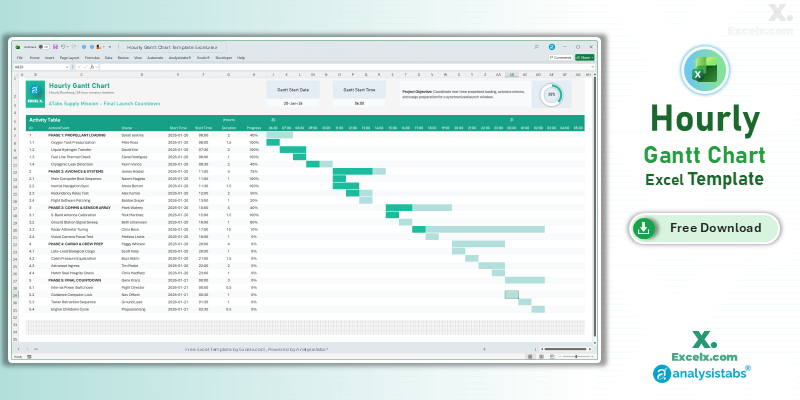
- 24-Hour Timeline: Precision tracking for time-critical project launches.
- Shift Control: Dedicated owner assignments for high-stakes coordination.
- Real-Time Status: Includes a progress ring for immediate mission-control status.
Read the Full Guide: How to Plan by the Hour
Daily Project Gantt Chart Excel: Short-Term Task Tracking
The daily project gantt chart excel view is essential for 30-day execution phases where daily accountability is the key to project success.
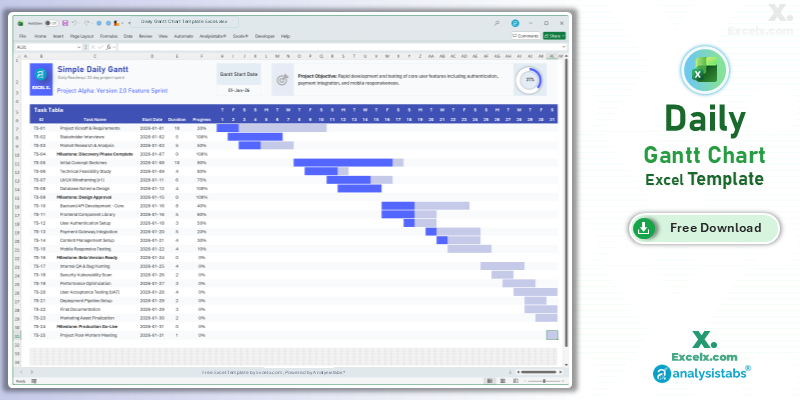
- Day-By-Day Logic: Track deadlines with absolute precision over 31 days.
- Immediate Visuals: Automated bars update the second you change daily durations.
- Standardized View: A clean layout designed for professional short-term tracking.
Read the Full Guide: Daily Task Management Tips
Simple Gantt Chart Template Excel Weekly: For Agile Sprints
The simple gantt chart template excel weekly version is optimized for software and marketing sprints spanning 4 to 12 weeks.
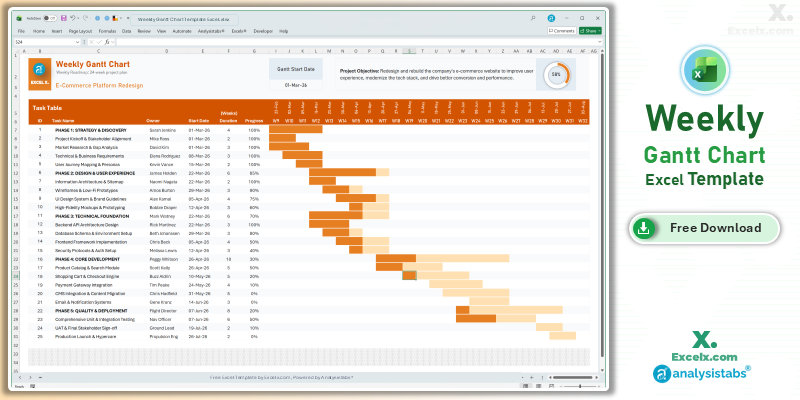
- Agile Sprint View: Perfectly balanced detail for weekly stand-up meetings.
- Accountability: Features an “Owner” column to streamline cross-functional coordination.
- Dynamic Headers: Column headers update automatically based on your start date.
Read the Full Guide: Weekly Sprint Planning Guide
Simple Gantt Chart Templates
50+ Free PM Templates
100+ Free Excel Templates
Premium Gantt Chart Templates
150+ Premium Templates
Presentation Scheduling FAQ
1. Can I link my Excel data to this PowerPoint Gantt chart?
While this template is optimized for manual updates during presentations, you can copy-paste Excel charts as objects if you prefer automated data linking. However, the native shapes in this simple gantt chart template ppt provide much better visual clarity.
2. How do I change the chart to show 24 weeks instead of 12?
You can duplicate the slide and update the headers to represent W13–W24, or explore our 24-month strategic Excel version for longer-term planning.
3. Is this slide compatible with Google Slides?
Yes. You can upload the .pptx file to Google Drive and open it in Slides. The shapes and text remain fully editable in the cloud.
Stop boring your stakeholders with complex spreadsheets. Download our simple gantt chart template ppt today and present your roadmap with executive confidence. For advanced automated dashboards and resource management, visit Analysistabs.org.